Asset management

Manage hardware, software, and IT assets
Automate every stage of the IT asset lifecycle, optimizing costs and reducing the risk of violating license and lease agreements.
Try OXARI ASSET MANAGEMENT

Join over 2,000 organizations that trust us

What is ASSET MANAGEMENT?

Asset Management is the process of monitoring, controlling, and optimizing both the physical and digital assets of a company. This solution enables organizations to effectively manage the entire lifecycle of their assets—from the moment of purchase, through the period of use, until decommissioning. When properly implemented, an Asset Management system allows companies to accurately track all assets, which leads to better utilization of resources, lower operational costs, and minimized risks, such as those associated with using outdated software licenses.

With Asset Management, it is possible to:

  • Centrally manage all assets – including IT equipment, software, and other infrastructure components in one place.
  • Maintain full control over the asset lifecycle – from purchase, through assignment to users and locations, all the way to decommissioning and disposal.
  • Automate processes – reducing manual tasks related to updating asset data, increasing efficiency, and eliminating errors.
  • Optimize costs – by identifying unused or rarely used equipment and overly expensive licenses.
  • Ensure compliance and security – with quick access to information on license status and warranties, simplifying audits and reducing legal risks.
  • Integrate with other IT systems – enabling data exchange with Service Desk systems, CMDB, or IT monitoring tools for a complete view of the infrastructure.
What is ASSET MANAGEMENT?

Key Features OXARI Asset Management

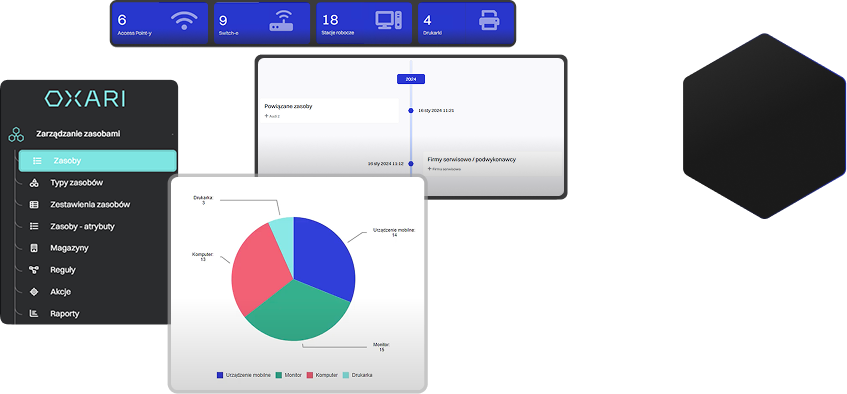
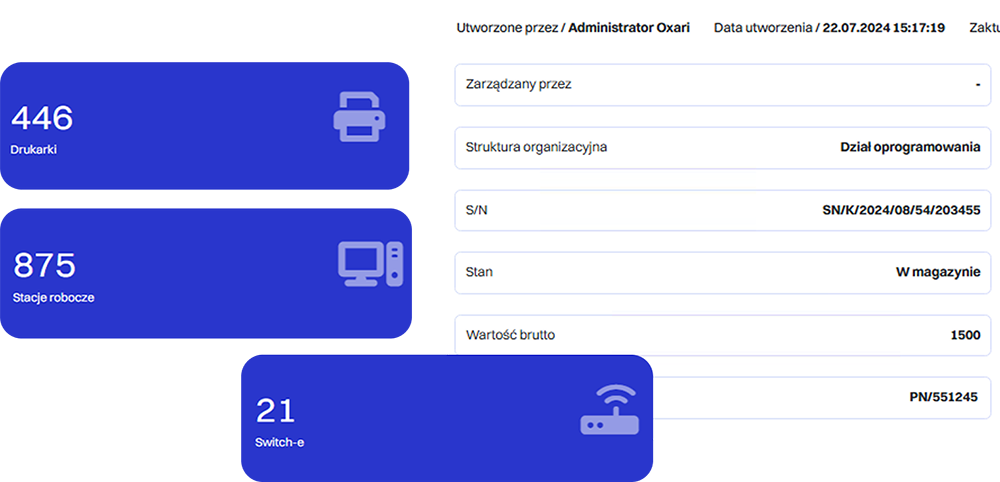
IT Asset Inventory
Automatic and manual addition of assets to the database, with the option to assign them to specific locations, departments, or users.
Protocol Generation
Quick creation of handover, disposal, or equipment loan protocols based on system data.
Built-in Network Scanner
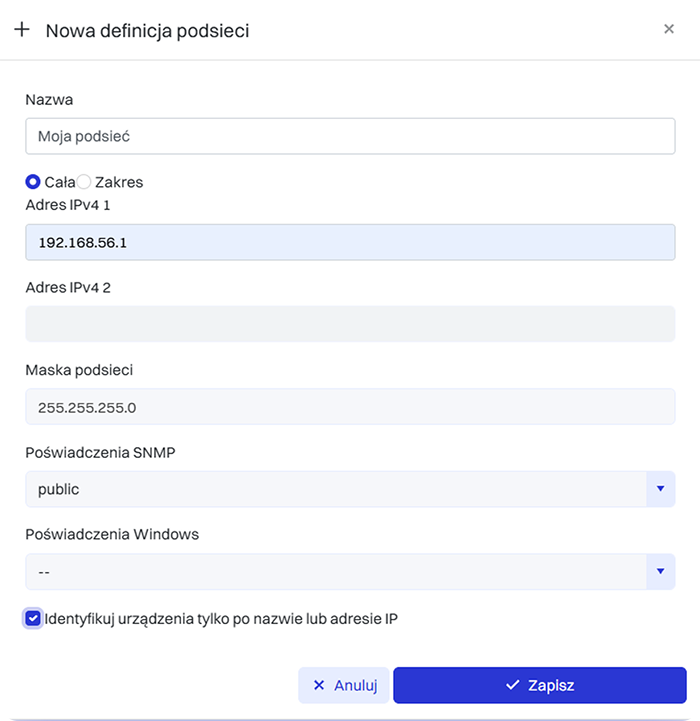
Automatic detection of devices connected to the company network allows for their quick addition to the inventory.
Automated Hardware Audit
Network scanning and device data collection enable continuous monitoring of assets, elimination of manual errors, and faster reaction to discrepancies or missing items.
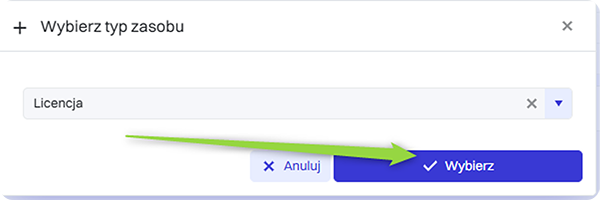
Custom Asset Types
Ability to define your own hardware and software categories tailored to the specifics of your organization.
Asset Attribute Definition
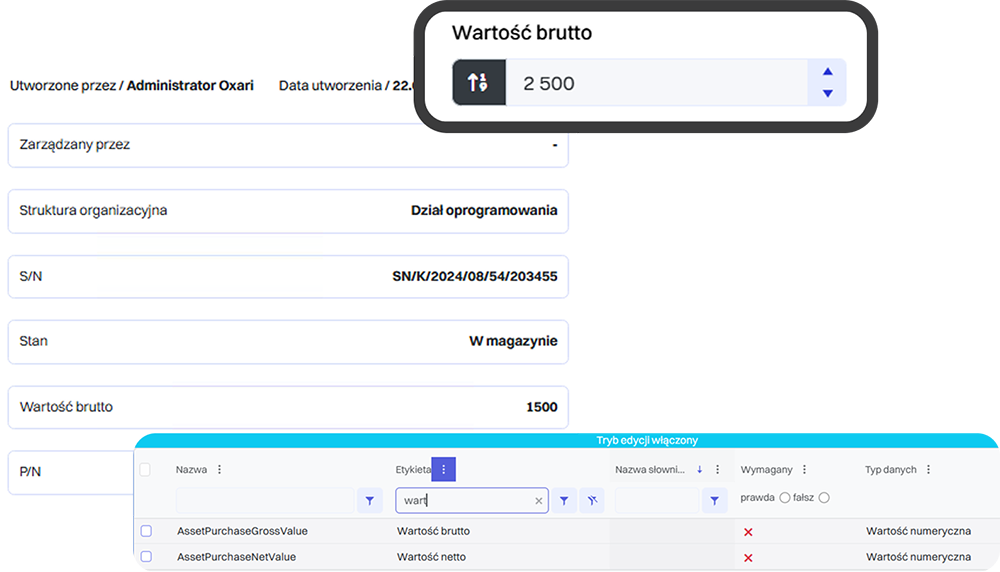
Flexible addition of descriptive fields - such as serial number, purchase date, location, or warranty status—allows full customization of information.

Asset Management designed to fully automate IT asset control in your company

Inventory
We thoroughly inventory all IT assets in your organization, such as computers, phones, printers, etc. The inventory includes owned assets, their locations, as well as purchase dates and prices.
1
50%
this is how much Asset Management can optimize the use of company resources
Inventory
Calculating lifecycle costs
During an asset’s lifetime, hidden costs may arise — for example downtimes or disposal. Calculating these costs allows you to better assess the real value of assets and make informed decisions.
2
Monitoring
The goal is continuous monitoring of IT assets, taking into account contract terms, license conditions, and warranty expiration dates. Monitoring also helps predict potential technical work.
3
Evaluating equipment efficiency
This stage includes repairs, upgrades, and asset replacements. Their progress is tracked in the ITAM tool, which helps assess equipment efficiency based on collected data.
4
Financial planning
Financial planning helps estimate the budget needed to maintain or improve service levels - efficient assets require ongoing support, while weaker ones may need higher investments, increasing overall costs.
5
What results can you expect?
The system enables monitoring of every stage — from purchase, through usage, all the way to equipment retirement. This allows you to make more informed investment decisions and plan replacements in advance.
The system collects data on all devices and software
All information is gathered automatically from agents, the network, or manual entries. This eliminates gaps and human errors.
1
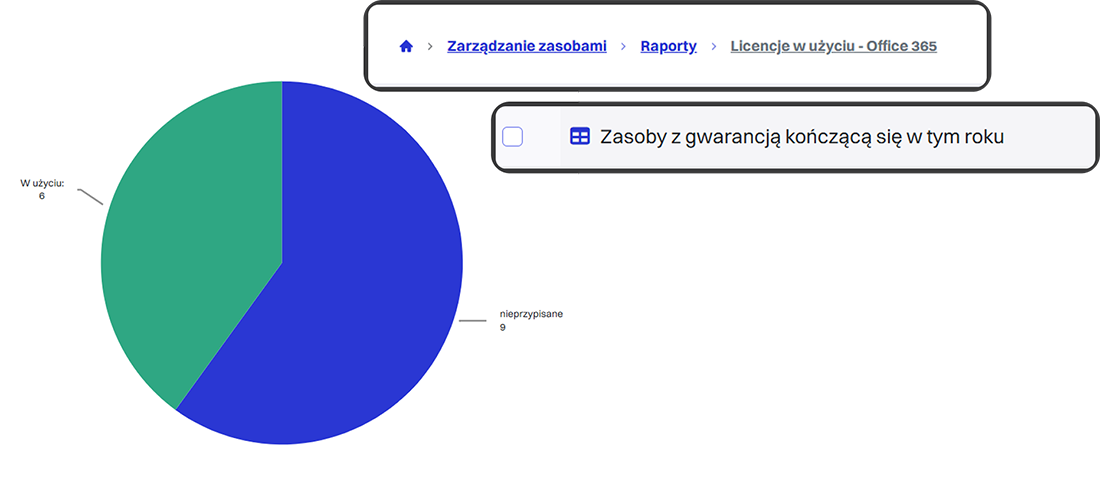
A report is generated containing licenses, owners, and serial numbers
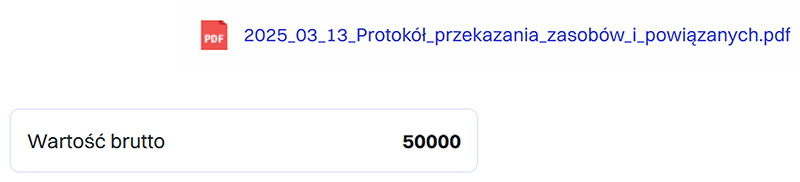
Each asset is fully described, including all data required by an auditor. The document is ready to use.
2
Financial and legal data is assigned
Assets receive purchase dates, depreciation details, and contract information. This connects IT management with the finance department.
3
Identification of documentation gaps
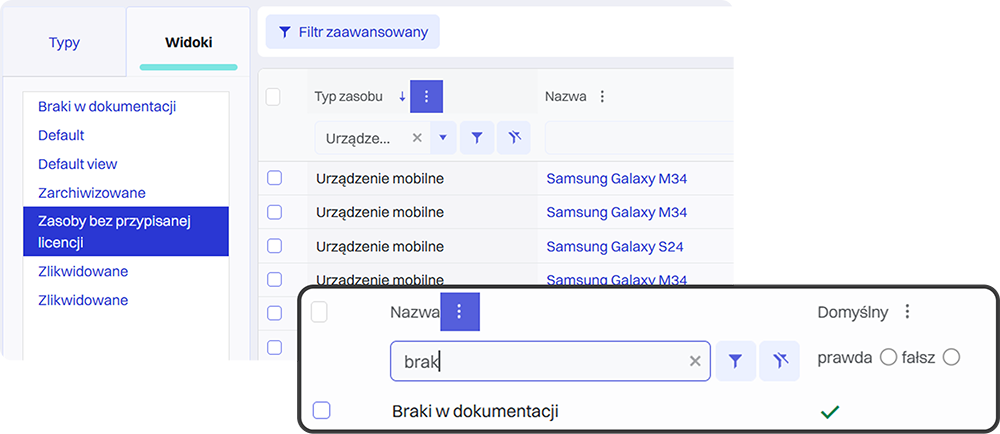
The system detects which assets lack assigned information and suggests completing missing data.
4
Done!
A full compliance report can be generated at any time. You gain peace of mind and full audit readiness.
5
What results will you achieve?
Automatic recording of hardware and assigned licenses makes it easy to quickly generate audit reports. You can be confident that your data is up to date and compliant with legal requirements and internal procedures.
The system scans the network and detects all active devices
The scanner automatically analyzes all access points, allowing it to detect even devices not reported by users.
1
Comparison with registered assets in the database
The system immediately identifies which devices are unauthorized. The comparison is performed automatically.
2
Identification of unreported or unauthorized hardware
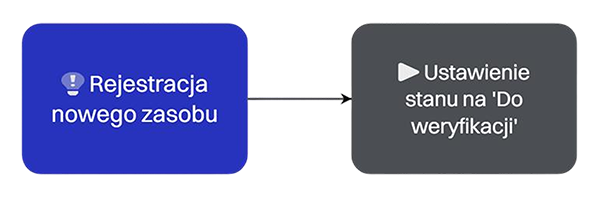
Unknown devices are marked as suspicious. The system can assign them a “to be verified” status.
3
Alert with a list of unregistered devices
The team receives a notification along with the device’s location, enabling quick action.
4
Follow-up actions by the team
Depending on company policy, the device may be added to the inventory or blocked from the network.
5
What results will you achieve?
The system instantly identifies devices connected to the network that are not registered in the company inventory. This allows you to quickly respond to potential threats and eliminate security gaps.

Discover the benefits of implementing Asset Management in your organization

Gain complete control over your IT assets
Reduce IT hardware spending and make better use of your budget
Automate audits of contracts, licenses, warranties, and more
Identify and resolve issues faster
Make smarter investment and modernization decisions
Reduce the risk of downtime by preventing equipment failures

Integrations with OXARI Asset Management

Our system integrates seamlessly with tools that boost productivity, support remote desktop operations, and enhance the security of data stored in the system.
Slide left
Slide right
OXARI Asset Management
Integrating OXARI ServiceDesk with OXARI AssetManagement allows direct linking of tickets to specific IT assets. Technicians gain instant access to hardware and software history, speeding up diagnostics and ticket resolution. This results in faster service and provides managers with full insight into the relationships between infrastructure and support processes.
OXARI CMDB
OXARI CMDB
Integrating the OXARI ITSM system with the CMDB database enables centralized management of all key elements of the IT infrastructure. Configuration data is automatically updated, making it easier to identify dependencies, diagnose issues, and plan configuration changes.
LDAP/OpenLDAP
LDAP/OpenLDAP
An integral part of the solution is synchronization with the corporate directory service to read user account information and organizational structure. Integration with Active Directory also enables automatic user login to the OXARI panel.
Integration with external systems via API
Integrating OXARI ITSM with external systems enables automatic data exchange with third-party tools. The open communication interface allows automation of routine tasks such as error reporting, asset management, and service request handling.
OXARI Asset Management
Integrating OXARI ServiceDesk with OXARI AssetManagement allows direct linking of tickets to specific IT assets. Technicians gain instant access to hardware and software history, speeding up diagnostics and ticket resolution. This results in faster service and provides managers with full insight into the relationships between infrastructure and support processes.
OXARI CMDB
OXARI CMDB
Integrating the OXARI ITSM system with the CMDB database enables centralized management of all key elements of the IT infrastructure. Configuration data is automatically updated, making it easier to identify dependencies, diagnose issues, and plan configuration changes.
LDAP/OpenLDAP
LDAP/OpenLDAP
An integral part of the solution is synchronization with the corporate directory service to read user account information and organizational structure. Integration with Active Directory also enables automatic user login to the OXARI panel.
Integration with external systems via API
Integrating OXARI ITSM with external systems enables automatic data exchange with third-party tools. The open communication interface allows automation of routine tasks such as error reporting, asset management, and service request handling.

OXARI is the certainty of effective operation

96,7%
Of customers recommend our system to others
20+
Years of experience
2046
Clients

Asset Management case studies

See why companies chose OXARI and how our ITSM system helps them grow their business.

Slide left
Slide right
How Delta Controls Streamlined Local Service Ticket Management with the OXARI Platform
“Before implementing OXARI, handling requests was done mainly via e-mail and other scattered channels, which made it difficult to track case statuses, caused duplicate requests, and resulted in the lack of a centralized customer service history. Knowledge was dispersed — there was no single place to store repeatable solutions and scenarios.

It’s hard to estimate precisely, but the time savings in handling requests are realistically 20–30% compared to handling them via e-mail.”
30%
faster ticket processing
70
countries supported worldwide
Paweł Płatek
PDS – Professional Development Services
more Arror right
A medical company streamlined its priorities and gained rapid insight into IT tickets thanks to OXARI
“The greatest improvement is the full automation of ticket handling—each one goes to the right person, and priorities are set automatically. This allows IT staff to focus on solving problems rather than managing the process.”
600
branches
98%
of achieved SLA
IT Service Desk Manager
A medical industry company
more Arror right
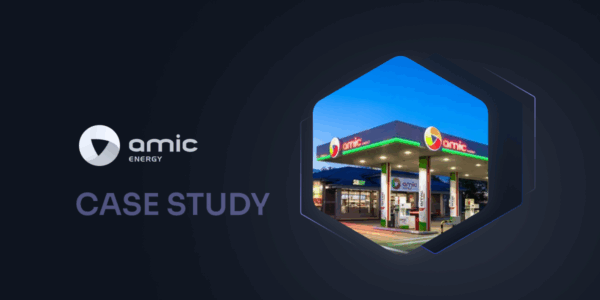
How AMIC POLSKA Sp. z o.o. improved ticket management across 128 fuel stations with the OXARI platform
Systematic management of service tickets enables full control over the progress of their resolution and makes it easier to identify critical service points. In the case of such a large number of our stations, effective ticket management requires an advanced ServiceDesk system such as OXARI.
128
fuel stations across Poland
1500
employees
Mariusz Banasiak
Senior IT Manager w AMIC Energy
more Arror right
Implementation of a modern ITSM system at the University of Wrocław
The University of Wrocław has opted for a comprehensive ITSM system. The goal was to centralize services, digitize processes, and regain control over the university’s assets. Thanks to the implementation of OXARI, the university has improved ticket handling and asset inventory and has taken a significant step toward digital transformation.
5000
assets
2500
configuration item (CI)
more Arror right
P.A. NOVA streamlined its IT processes with OXARI
"Implementing OXARI and ITManager has significantly improved our daily work—from user requests to IT asset management. Thanks to intuitive tools and extensive functionalities, we have gained better control, automation, and full transparency of our IT environment. We wholeheartedly recommend Infonet Projekt as a reliable partner for ITSM solutions."
6
OXARI modules
240
workstation licenses
Mariusz Horyń
Kierownik IT, P.A. NOVA S.A
more Arror right
OXARI guarantees reliable operation
Chevron left
Chevron right
Service Desk
Service Desk
Comprehensive handling of both internal and external service requests enabling automation of processes, incident classification, priority management, and SLA monitoring. It supports communication between users and the IT team, ensuring full transparency and control over request fulfillment.
moreArro2 right
CMDB
CMDB
A central knowledge base about the IT infrastructure and the dependencies between configuration items. It enables visualization of relationships between services, servers, applications, and users. It helps in change impact analysis, risk minimization, and maintaining compliance with ITIL processes.
moreArro2 right
Mobile Device Management
MDM
Management of mobile devices and computers within an organization. Enables remote configuration, locking, and wiping of devices, application control, and implementation of security policies. Supports compliance with ISO 27001 standards and protection of company data.
moreArro2 right

Interested?

Let’s talk and see what we can create together.
Get in touch with us

IT Asset Management and IT resource management – who is it for?

IT Asset Management (ITAM) is a practical tool essential for any organization that relies heavily on information technology. Managing IT infrastructure is especially important for companies with extensive technological ecosystems, owning numerous devices, licenses, and other digital assets such as servers, routers, workstations, or specialized software. For this reason, ITAM is an excellent solution for companies employing a large number of workers who regularly use various devices and software.

The functionality of IT Asset Management software is particularly valued by organizations operating in sectors subject to strict legal regulations, such as finance, healthcare, or telecommunications. High security and compliance requirements mean that even the smallest mistake can lead to serious legal or financial consequences. Computer inventory software helps maintain appropriate control over company resources.

How to choose Asset Management software for your company?

Choosing the right tool for managing IT infrastructure is an investment that brings long-term benefits. A well-designed system can significantly improve efficiency, reduce risk, and optimize operational costs.

Before selecting a tool, it is worth considering several factors:

  • Flexibility – IT Asset Management software should offer all necessary functions, such as computer inventory, license monitoring, asset lifecycle management, and report generation. The ability to flexibly configure the system allows you to tailor the interface and features to the current needs of the organization.
  • Scalability – ensure the software is scalable so the system can handle an increasing number of assets and users without losing performance. Companies planning growth should choose a solution that can be expanded with new features and modules.
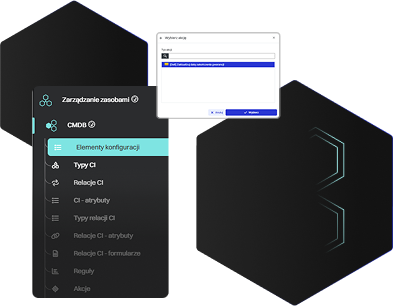
  • Integration with other systems – integration with systems such as ERP, CMDB, or Service Desk allows automation of many processes and eliminates the need for manual data entry.
  • Ease of use – an intuitive interface and simple operation make implementation and everyday use of computer inventory software much easier.

Asset Management for IT – what does it involve?

IT Asset Management ensures efficient creation of asset records and management of those assets. Automating this process guarantees precise handling of all formalities related to the handover, return, or disposal of assets.

What are the key functions of an IT Asset Management (ITAM) system?

  • Automatic inventory of computers and other IT assets – accurate records that eliminate the risk of missing a device or software license.
  • Efficient registration of service requests from users – categorization of requests so that technical support is provided at the correct level.
  • Easy access to all asset information – access to hardware and system configurations, enabling planning of replacements or service work.
  • Precise supervision of IT infrastructure health – early identification of weak points in the infrastructure and effective elimination of issues.
  • SLA analysis – monitoring the required level of service availability.

Examples of ITAM applications

IT Asset Management (ITAM) is a universal and versatile solution — no wonder various industries benefit from its capabilities.

Asset Management is indispensable in every technology-driven company. Businesses use it to monitor hardware and software licenses and automate the management of their entire IT infrastructure. But the IT industry is just the beginning.

Manufacturing companies use ITAM to monitor the condition of machinery, plan maintenance, and optimize resource usage. The transportation sector can use it to manage vehicle fleets, schedule service work, or optimize routes to reduce fuel consumption and CO₂ emissions. Companies in any industry can also use it to supervise building infrastructure — for example, managing electrical, water, or gas systems.

A strong example of ITAM in demanding industries is the medical sector. The software supports management of medical equipment and technologies crucial for diagnosis and patient monitoring. Supervision of infrastructure helps prevent risks that could affect the safe and efficient operation of a facility. A valuable addition to the system is OXARI MDM, enabling easy management of mobile devices within the organization.

Benefits of implementing OXARI Asset Management

Implementing an Asset Management system brings many advantages. How does the software improve organizational operations?

  • IT infrastructure control – maintaining uninterrupted IT operations through updating licenses (without additional cost) or proper backups ensures the safe and efficient functioning of the entire organization. Information about asset availability and location helps optimize their use.
  • Asset security – IT Asset Management protects assets by overseeing access control, granting specific permissions to users, and strengthening protection against attacks by enforcing hardware-system configurations that reduce vulnerabilities. Access to up-to-date reports helps identify and eliminate security gaps before they lead to incidents.
  • Cost optimization – real knowledge about how company resources are used helps detect unused assets or processes that cause excessive resource consumption. An example may be license shortages or surpluses. Asset Management quickly identifies irregularities.
  • Business decision-making based on real needs – the system supports strategic decisions regarding equipment purchases or licensing. This approach optimizes costs and allocates financial resources where they are truly needed.

Managing IT infrastructure assets – full control over digital and physical resources

Effective IT infrastructure asset management is not only about listing equipment, but about comprehensive supervision, optimization, and maintenance of the company’s technological environment. It includes hardware resources — computers, printers, servers, routers — as well as digital assets such as software licenses, system configurations, and user data. Consistent control over these elements significantly improves operational efficiency and reduces unnecessary costs resulting from inefficient resource use.

The service is intended for organizations that need a tool to automate inventory processes and provide comprehensive tracking of their assets — by physical location and assignment to users or departments. OXARI software integrates hardware and documentation data into one coherent system, making it easier to make decisions based on the real state of the infrastructure.

Implementing OXARI is not only a step toward organizing IT infrastructure but also an investment in security, transparency, and growth. It helps companies plan future technological needs, automate administrative tasks, and increase control over the lifecycle of both hardware and digital assets.

Increase department efficiency with ITAM

Modern ITAM systems like OXARI significantly streamline the management of IT infrastructure, computer equipment, and other company resources. Thanks to centralized records and automated processes, the IT department gains full control over its assets, which translates into higher operational efficiency.

Inventory software also increases employee awareness regarding responsible use of both digital and physical resources. Clear asset assignment and access to usage history improve workplace organization and reduce misuse. ITAM also supports administrators in maintaining order, enabling quick identification of shortages, discrepancies, or unnecessary purchases.

Implementing ITAM is a step toward sustainable and informed management of IT assets, simplifying daily IT operations and supporting long-term technological planning.

Choose proven solutions – OXARI IT Asset Management!

Looking for reliable software to record computers and other IT equipment in your company? Choose IT Asset Management (ITAM) and gain full control over your organization’s IT assets. Contact us for more details about the solution.