Mobile Device Management

Secure, monitor, and remotely manage mobile devices
Protect company data and increase team productivity with the OXARI MDM system for remote mobile device management.
Try OXARI MDM

Join over 2,000 organizations that trust us

What is MOBILE DEVICE MANAGEMENT?

MDM (Mobile Device Management) is a technology that enables organizations to centrally administer portable devices such as smartphones, tablets, and laptops. With the growing number of mobile devices in organizations and the increasing popularity of remote work, the need for effective management of portable equipment is rising.

An MDM system allows remote monitoring, management, configuration, and securing of devices used by employees within an organization. Administrators can remotely install applications, update software, implement security policies, and control access to company data. In the event of device loss or theft, it is possible to locate it, lock it, or completely wipe its data, minimizing the risk of information leakage.

Thanks to centralized management, the company gains full control over its device fleet, increases data security, and standardizes the work environment—regardless of where users are working from.

What is MOBILE DEVICE MANAGEMENT?

Features that make OXARI MDM the best on the market

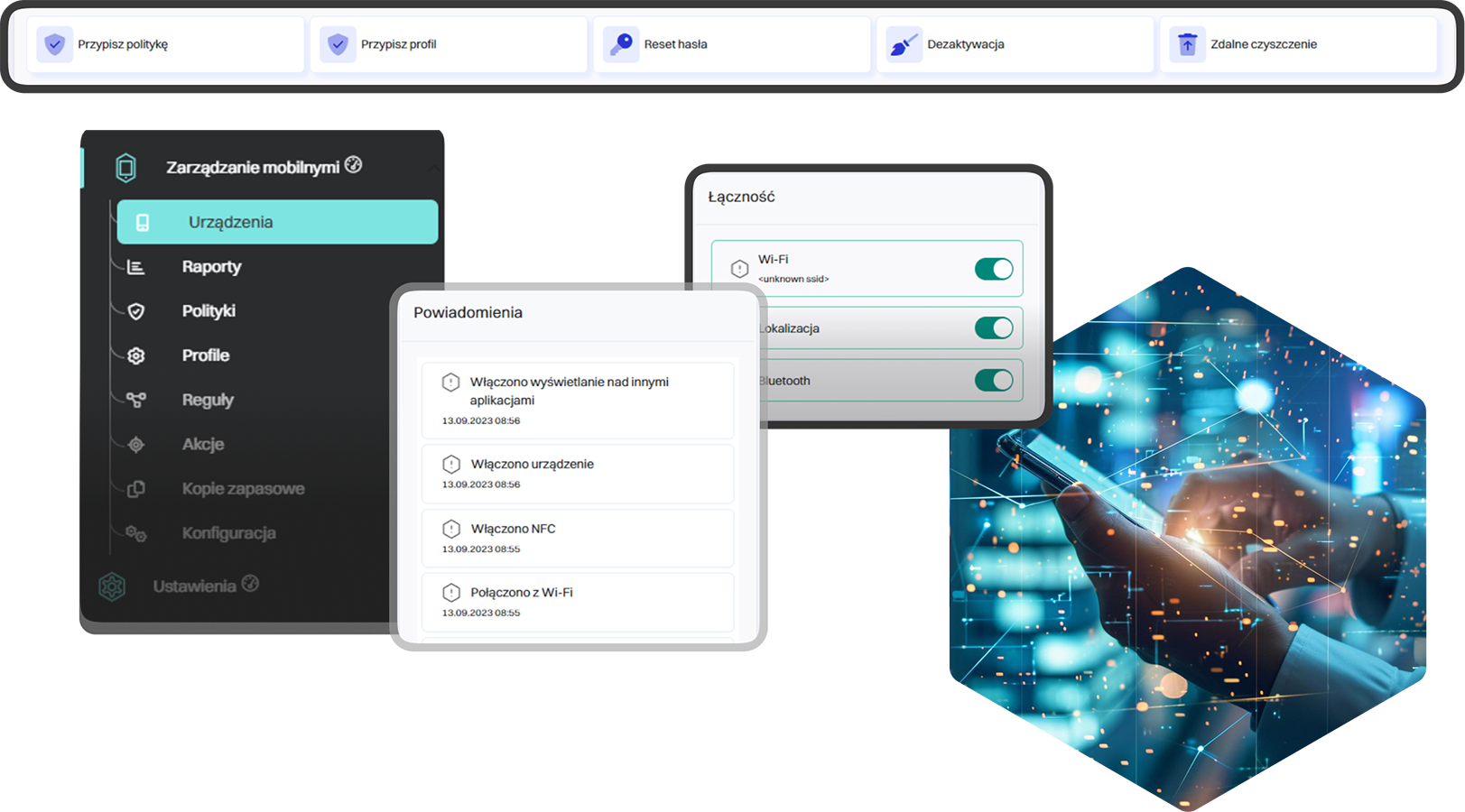
Remote device access
Remote device configuration, problem diagnosis, and real-time user support.
Screen content preview
The device screen is visible in the admin console - quick situation analysis and immediate response.
Sending notifications
Messages are delivered directly to users’ devices - clear communication and instant delivery.
Remote factory reset
A secure command sent from the admin console allows the user to quickly wipe data in case of theft or loss, protecting confidential information.
Device location reading
The device’s current location available in the dashboard - full control over field equipment.
List of installed applications
An overview of all applications installed on the device - quick verification and security monitoring.

Mobile Device Management is an intuitive platform for managing mobile devices

Preparing equipment for a new employee
When hiring new employees for different positions, each of them needs a different mobile device, applications, or permissions for daily work.
1
60%
this is how much data security improves
Preparing equipment for a new employee
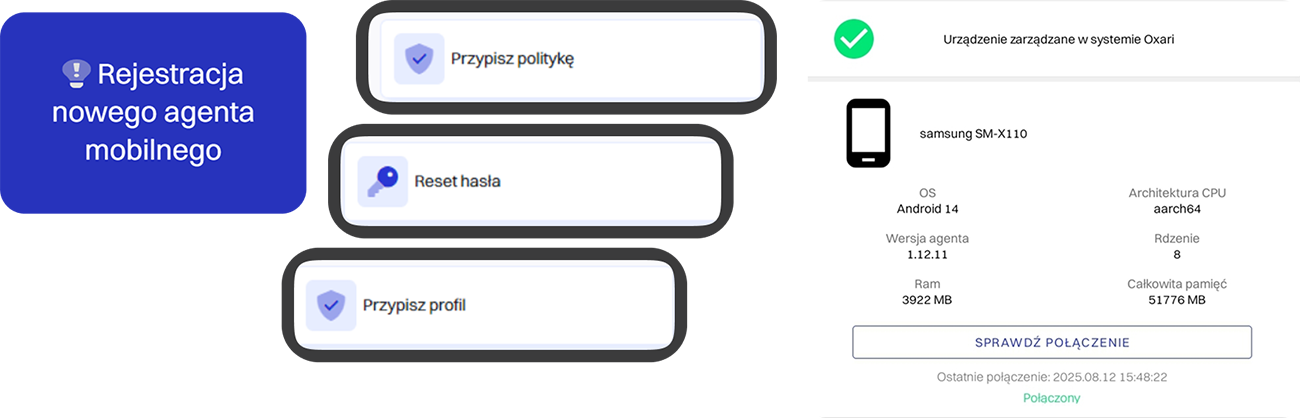
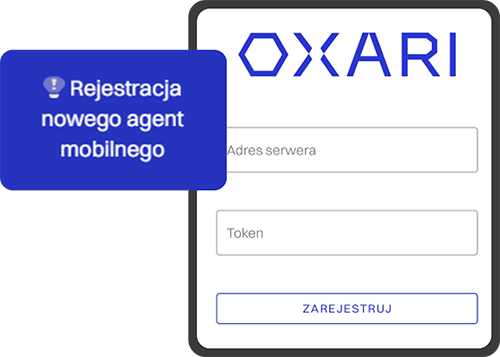
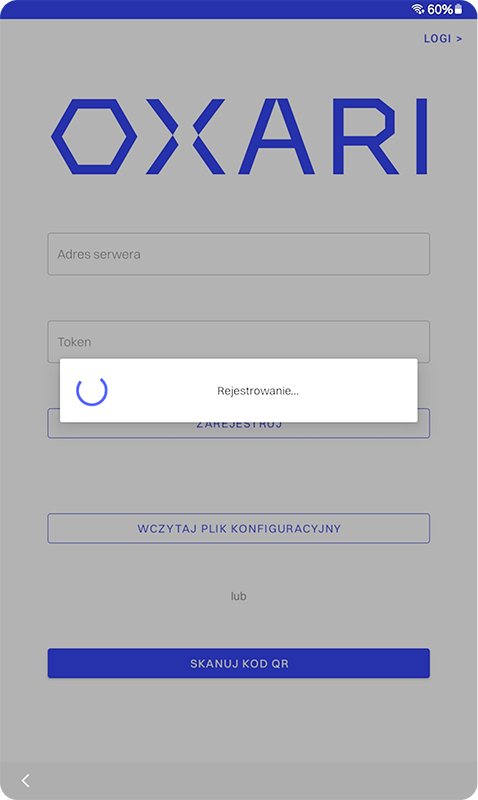
Registering equipment in the MDM system
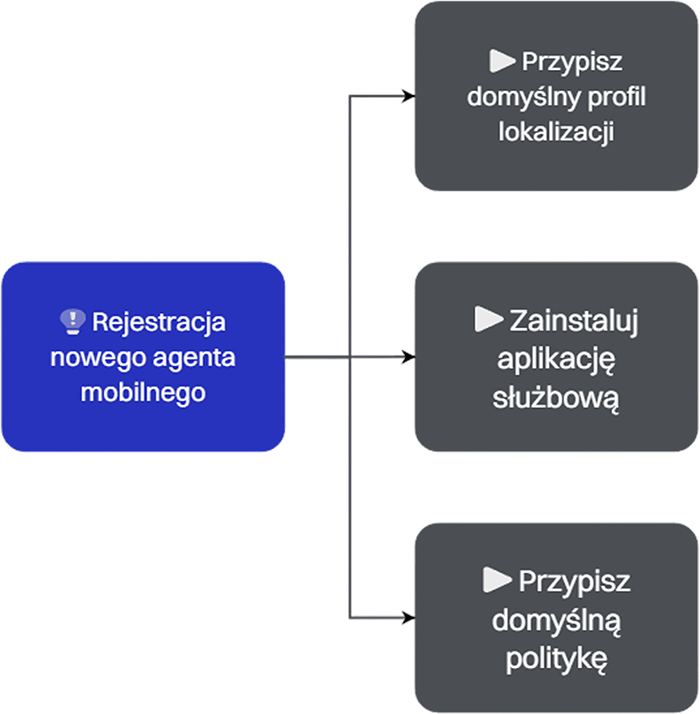
New devices are registered in the MDM system, assigned to employees with clearly defined roles and positions, and then connected to the company infrastructure.
2
Automatic configuration of mobile devices
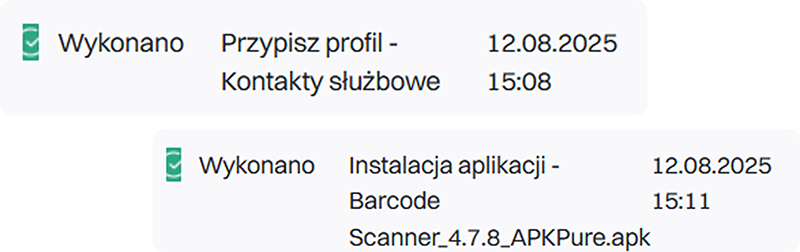
With a single click, you can configure company mobile equipment - from installing applications and applying security policies to configuring Wi-Fi networks.
3
Implementation of security policies
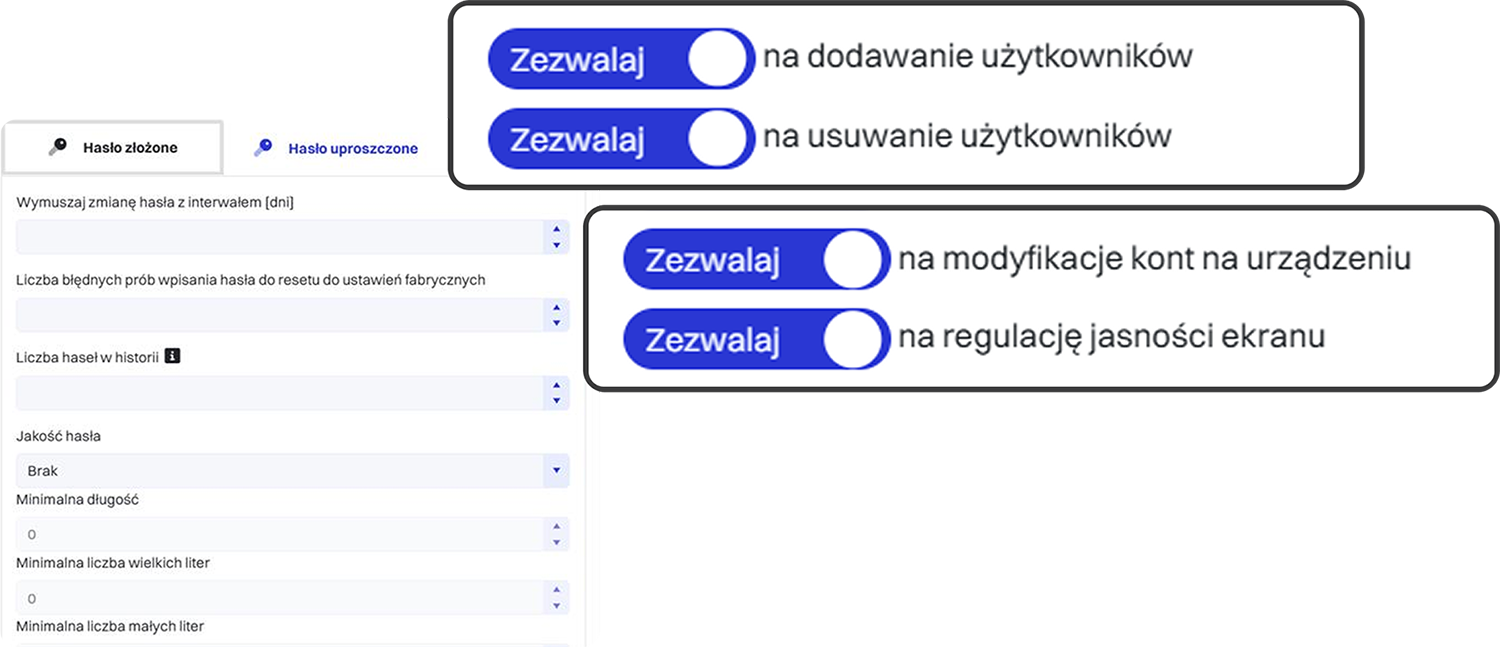
MDM enforces security rules such as strong passwords, encryption, and—if the device is lost—its lock or remote wiping of company data.
4
Done!
Employees receive fully prepared devices, ready to work and secured according to company standards. The entire configuration process takes only 4 minutes!
5
What results will you achieve?
Better control over company resources will allow you to assign devices to specific employees and departments, making responsibility management easier. Thanks to centralized records, you gain a complete overview of equipment usage across the organization.
The employee receives a new company phone with an MDM agent
The device is ready to use - it requires no manual configuration. This saves time for the IT department.
1
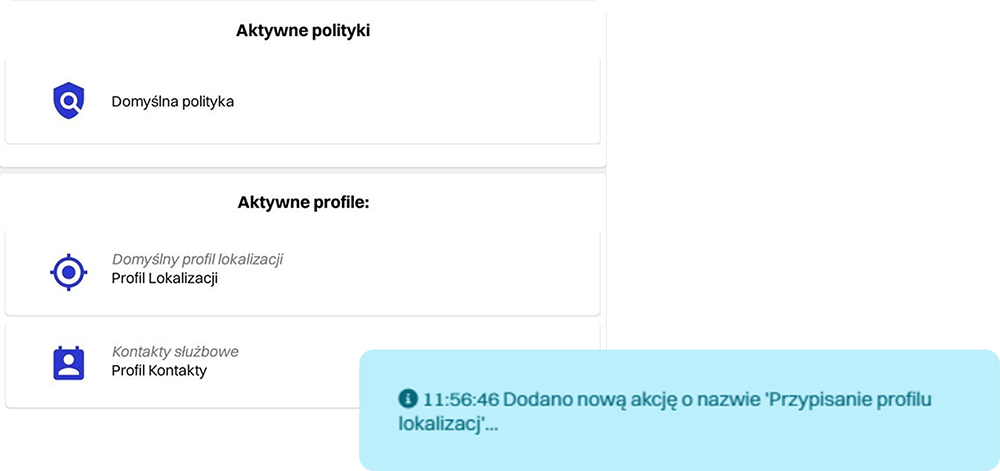
The administrator assigns the device to the user and policies
Security policies and configurations are assigned according to the user’s role. This ensures consistency and compliance with regulations.
2
The system remotely installs applications and configurations
There is no need for physical contact with the device. Everything happens automatically in the background.
3
The administrator can make changes remotely
Configuration changes are immediately reflected on the device. This enables ongoing response and quick adjustments.
4
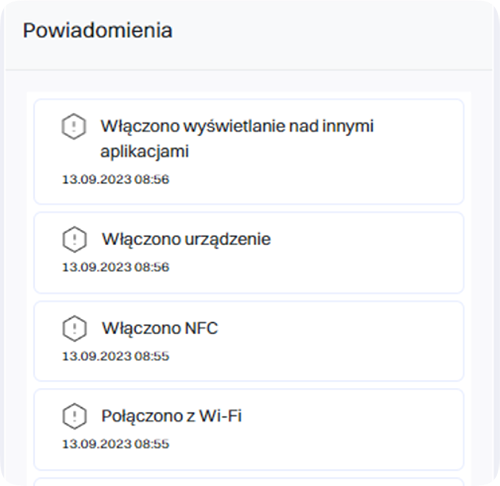
All actions are logged and reported
The system records every change and action. Full control and transparency of all operations.
5
What results will you achieve?
Automatic device configuration enables fast and error-free preparation of equipment for work. A new employee can begin tasks on the first day, without involving the IT department in routine operations
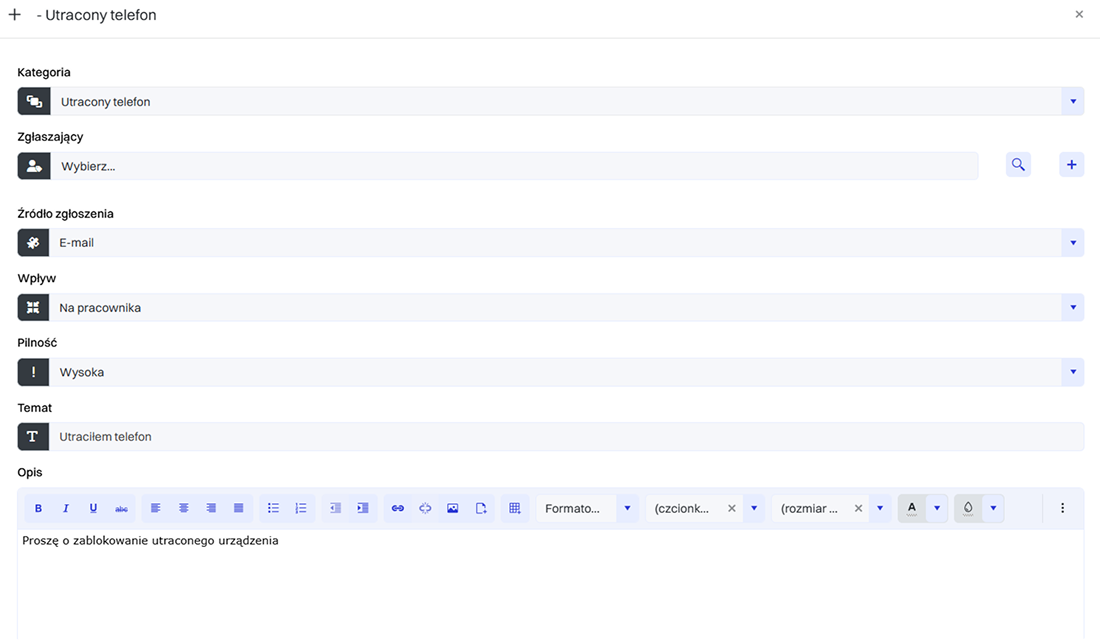
The employee reports the lost device
The IT team immediately receives information about the loss of the equipment. The report triggers the next steps of the process.
1
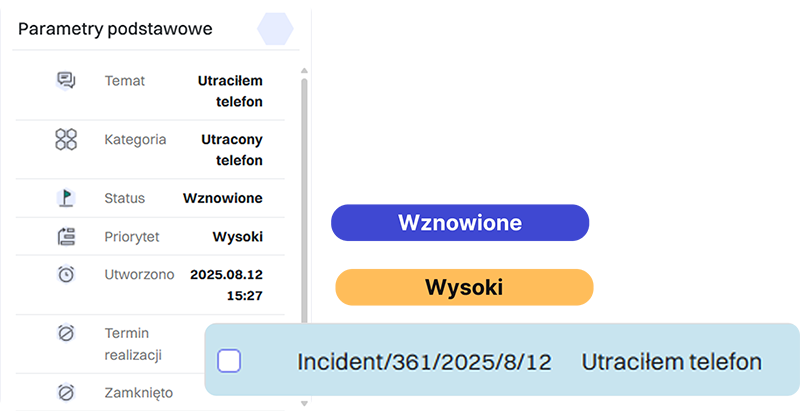
Incident report registration
The incident is recorded in the system, assigned to an administrator, and marked with a priority level. The response procedure begins in accordance with the security policy.
2
The administrator locates the device’s last activity
The MDM system shows the device’s last network or GPS connection. This helps assess the level of risk.
3
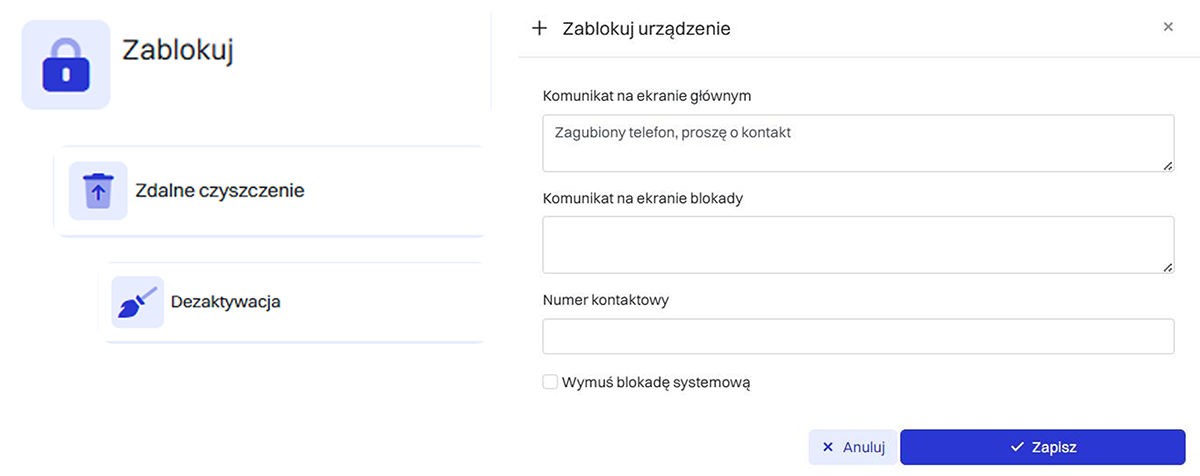
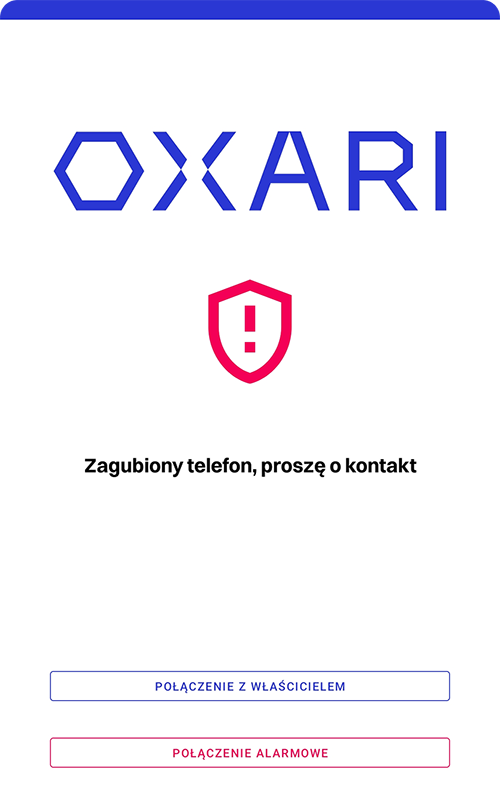
A lock or remote data wipe is initiated
The device can be locked or completely wiped. This protects company data and user privacy.
4
The system tracks the incident until it is closed
All actions are automatically logged and reported. The process ends with confirmation of the lock or the device’s recovery and the incident is closed.
5
What results will you achieve?
In the event of device loss, it is possible to immediately locate it, lock it, or remotely delete the data. This minimizes the risk of information leakage and protects company resources from unauthorized access.

Discover the benefits of implementing OXARI MDM in your organization

Increase the security of sensitive data
Reduce the time needed for remote support and configuration thanks to automation
Standardize the default content of new devices
Unify device configuration by implementing a policy of available functionalities
Integrate mobile devices with corporate systems
Manage devices within the Enterprise Mobility Management model

Integration with OXARI MDM

Our system seamlessly integrates with tools that boost productivity, support remote desktop operations, and enhance the security of data stored in the system.
Slide left
Slide right
OXARI Asset Management
Integrating OXARI ServiceDesk with OXARI AssetManagement allows direct linking of tickets to specific IT assets. Technicians gain instant access to hardware and software history, speeding up diagnostics and ticket resolution. This results in faster service and provides managers with full insight into the relationships between infrastructure and support processes.
OXARI CMDB
OXARI CMDB
Integrating the OXARI ITSM system with the CMDB database enables centralized management of all key elements of the IT infrastructure. Configuration data is automatically updated, making it easier to identify dependencies, diagnose issues, and plan configuration changes.
LDAP/OpenLDAP
LDAP/OpenLDAP
An integral part of the solution is synchronization with the corporate directory service to read user account information and organizational structure. Integration with Active Directory also enables automatic user login to the OXARI panel.
Integration with external systems via API
Integrating OXARI ITSM with external systems enables automatic data exchange with third-party tools. The open communication interface allows automation of routine tasks such as error reporting, asset management, and service request handling.
Integracja z Samsung Knox
The integration of OXARI ITSM with the Samsung Knox platform enables automatic registration of mobile devices in the Asset Management module and the OXARI system’s CMDB. Additionally, the integration includes the use of Knox Capture, which turns a smartphone’s camera into an advanced barcode scanner with AI features, fully supported within the OXARI Asset Management mobile app.

OXARI is the certainty of effective operation

96,7%
Of customers recommend our system to others
20+
Years of experience
2046
Clients

OXARI case studies

See why companies chose OXARI and how our ITSM system helps them grow their business

Slide left
Slide right
Automation of Ticket Handling in a Large Organization – Implementation of OXARI Service Desk
“The biggest change after implementing OXARI Service Desk was the shift from emails and phone calls to a single, consistent ticket workflow—with automatic classification, prioritization, and SLA control. This was complemented by approval paths for access rights, purchases, and onboarding, as well as linking tickets to IT assets. The result? Less manual coordination, greater predictability, and faster service delivery across a multi-location environment.”
more Arror right
How OXARI improved the work of the helpdesk department in a public institution?
“In public institutions, the helpdesk for years has relied on emails, phone calls and local notes, which, with a growing number of users, quickly leads to chaos: lost tickets, lack of priorities and problems with reporting. This drives IT teams to implement a single tool that organizes incident handling, automates workflows and supports formal approval paths (e.g. granting permissions, purchases, onboarding/offboarding) with a full audit trail of activities. The result is the implementation of the OXARI system, which provides transparency of processes and genuinely improves the daily work of the helpdesk department.”
Head of IT Department
Public Institution
more Arror right
Implementation of the OXARI and ITManager systems at the Bielsko-Biała City Hall
"Upgrading the existing asset-management system to the latest version was not economically justified. This situation prompted us to analyze the market and look for an alternative solution in this area. An additional criterion was the ability to migrate the asset data already collected, for which the City Hall’s IT Department is responsible. The outcome of our assessment was the implementation of the OXARI system."
247
administrators
1982
managed assets
Dariusz Łużny
Head of the IT Department, Bielsko-Biała City Hall
more Arror right
How Delta Controls Streamlined Local Service Ticket Management with the OXARI Platform
“Before implementing OXARI, handling requests was done mainly via e-mail and other scattered channels, which made it difficult to track case statuses, caused duplicate requests, and resulted in the lack of a centralized customer service history. Knowledge was dispersed — there was no single place to store repeatable solutions and scenarios.

It’s hard to estimate precisely, but the time savings in handling requests are realistically 20–30% compared to handling them via e-mail.”
30%
faster ticket processing
70
countries supported worldwide
Paweł Płatek
PDS – Professional Development Services
more Arror right
A medical company streamlined its priorities and gained rapid insight into IT tickets thanks to OXARI
“The greatest improvement is the full automation of ticket handling—each one goes to the right person, and priorities are set automatically. This allows IT staff to focus on solving problems rather than managing the process.”
600
branches
98%
of achieved SLA
IT Service Desk Manager
A medical industry company
more Arror right
OXARI guarantees reliable operation
Chevron left
Chevron right
Service Desk
Service Desk
Comprehensive handling of both internal and external service requests enabling automation of processes, incident classification, priority management, and SLA monitoring. It supports communication between users and the IT team, ensuring full transparency and control over request fulfillment.
moreArro2 right
Asset Management
Asset Management
A systematic record of all types of assets along with analysis of their current location. Monitoring of active devices, review of related history, optimization of available resources, and management of the asset issuance and return process.
moreArro2 right
CMDB
CMDB
A central knowledge base about the IT infrastructure and the dependencies between configuration items. It enables visualization of relationships between services, servers, applications, and users. It helps in change impact analysis, risk minimization, and maintaining compliance with ITIL processes.
moreArro2 right

Interested?

Let’s talk and see what we can create together.
Get in touch with us

An MDM system effectively supports mobile device management within a company. Its modern application makes remote smartphone management remarkably simple yet highly effective. This Android-based solution is widely used across numerous institutions and businesses operating in various industries.

Mobile Device Management — how does such a system work?

MDM systems enable remote supervision and control of mobile devices. Their operation is based on the following mechanisms:

  • An MDM agent is installed on company tablets and smartphones — software running in the background that allows administrators to manage corporate devices.
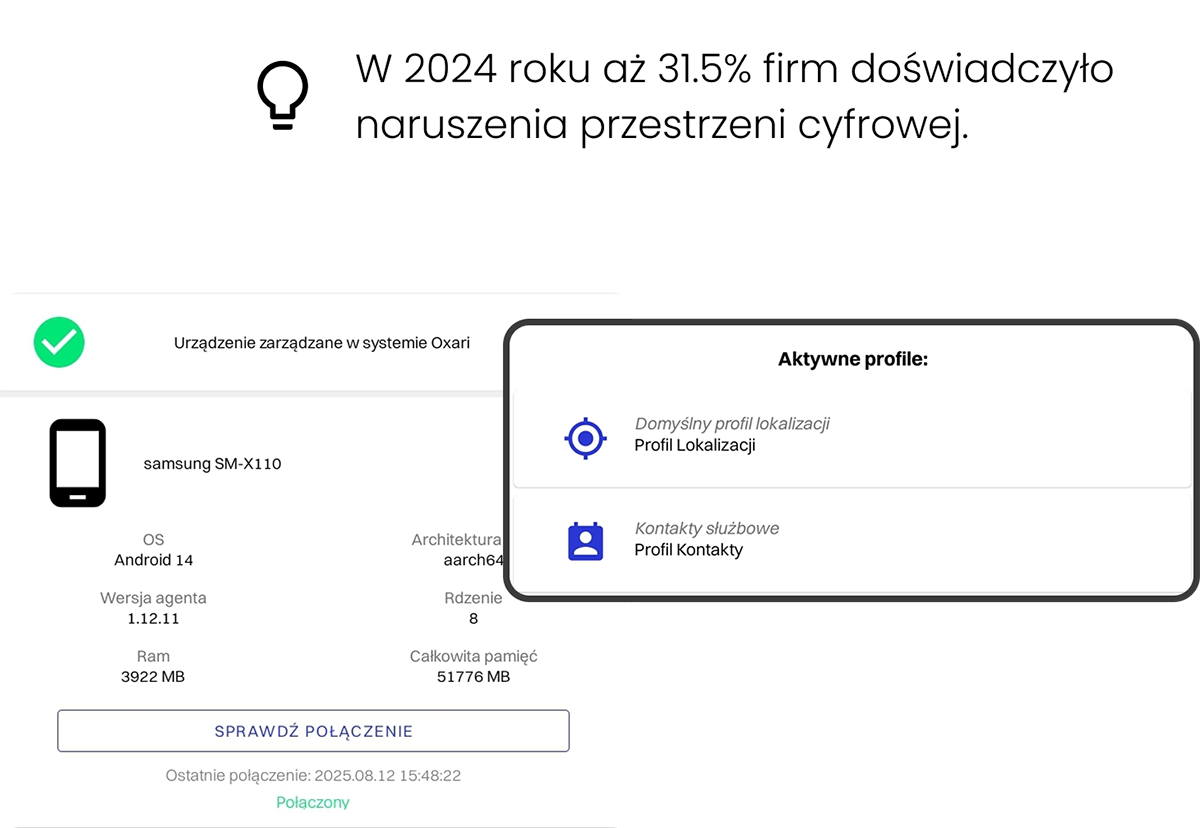
  • The MDM service provides administrators with access to device data — including hardware and system information, as well as what is displayed on the screen. It also enables full mobile device management, from sending messages to locking or wiping the device.
  • The MDM system also makes it possible to locate each device.

Such software is often part of a broader ITSM system, which also supports hardware asset management and storing all information in a central database (CMDB). MDM solutions can be a key tool in meeting the requirements of the NIS2 directive, which obliges organizations to implement appropriate technical and organizational measures to manage cybersecurity risks.

Thanks to central management capabilities, the OXARI MDM system is an ideal solution for companies with distributed teams of remote employees.
The platform allows IT administrators to quickly implement security policies, remotely update software, and monitor device status in real time—boosting efficiency and enhancing the organization’s operational security.

OXARI MDM is also a perfect solution for companies that value flexibility and scalability.
The system can be easily adapted to the needs of a growing organization. Whether a company manages a few or several thousand mobile devices, Oxari MDM provides full control and security, ensuring smooth operation without concerns about potential threats.

OXARI Mobile Device Management system — who is it designed for?

The OXARI Mobile Device Management system is designed for a wide range of users. The software benefits small and medium-sized businesses as well as large enterprises. This solution is particularly valuable for industries that are highly exposed to data-breach risks, such as IT, finance, retail, logistics, and public administration.

What should you consider when choosing the right MDM system?

When choosing an MDM system, it’s important to consider several key aspects that can significantly impact the efficiency and security of mobile device management. The first factor is data protection. An MDM solution should offer advanced security features such as data encryption, remote data wiping in case a device is lost or stolen, and the ability to enforce strict password and access policies for corporate data.

A good MDM system should also be compatible with the company’s IT infrastructure, allowing seamless deployment and management of diverse devices. Another important factor is scalability, ensuring that new devices and users can be easily added as the organization grows. It is also essential to choose software that is easy to use. An intuitive interface helps IT administrators manage devices efficiently. Clear and user-friendly MDM tools can significantly improve the performance of the IT team, further enhancing the organization’s overall security.

In what situations is an MDM service useful?

Using MDM systems increases corporate security across many everyday scenarios involving employees and their mobile devices. Here are a few examples:

MDM and lost mobile devices

Leaving a smartphone on a table after a business meeting or having it slip out of a bag happens very often. If such a situation occurs, the mobile device management panel allows you to check the location of the lost device. As a result, the chances of recovering it increase, while the risk of losing valuable data decreases.

MDM service after theft

If a company smartphone or tablet is stolen, an MDM system is equally helpful. It not only enables quick location tracking but also allows the device to be locked or even wiped—ensuring that confidential company information does not fall into the wrong hands.

The MDM agent and employee monitoring

The mobile device management panel also allows administrators to check how each device is being used. A manager can, for example:

  • see what is currently displayed on the employee’s device screen,
  • send a message to the employee,
  • block access to the device—e.g., if there is suspicion that the employee is sharing company data with third parties or if a dismissed employee has not returned their assigned device.

Mobile Device Management and equipment supervision

The service also provides the ability to oversee all mobile assets across the entire company. The system gives access to detailed information about the parameters of each registered device, making it easier to plan maintenance or replacements. It also helps verify whether employees are using the devices assigned to them.
What can you gain with OXARI Mobile Device Management?

The OXARI Mobile Device Management system ensures full control over every company-owned mobile device. The MDM agent increases the security of data and applications stored and processed on the device. The remote console allows administrators to instantly block device usage or wipe it if misuse is suspected or if the device falls into unauthorized hands.

Device configuration also increases employee productivity by ensuring constant access to all applications required for daily work. At the same time, employees can use only approved applications and cannot install unwanted software on their own. This guarantees that devices are used solely for business-related purposes.

Regular updates also play a key role. Automating this process ensures that mobile devices are always equipped with the latest software versions without waiting for user action.

Choose proven OXARI MDM solutions!

Planning to implement a solution that supports remote mobile device management? Looking for a reliable MDM system? Take advantage of a platform built by experts and gain full control over mobile devices in your organization!
If you have any additional questions, contact us – we’ll be happy to help!