





OXARI CMDB

A complete map of your IT infrastructure in one place
A CMDB gives you full insight into how services, devices, and users are interconnected. Faster problem diagnosis and safer change implementation lead to greater IT reliability.
Try OXARI CMDB

Join over 2,000 organizations that trust us

What is a Configuration Management Database?

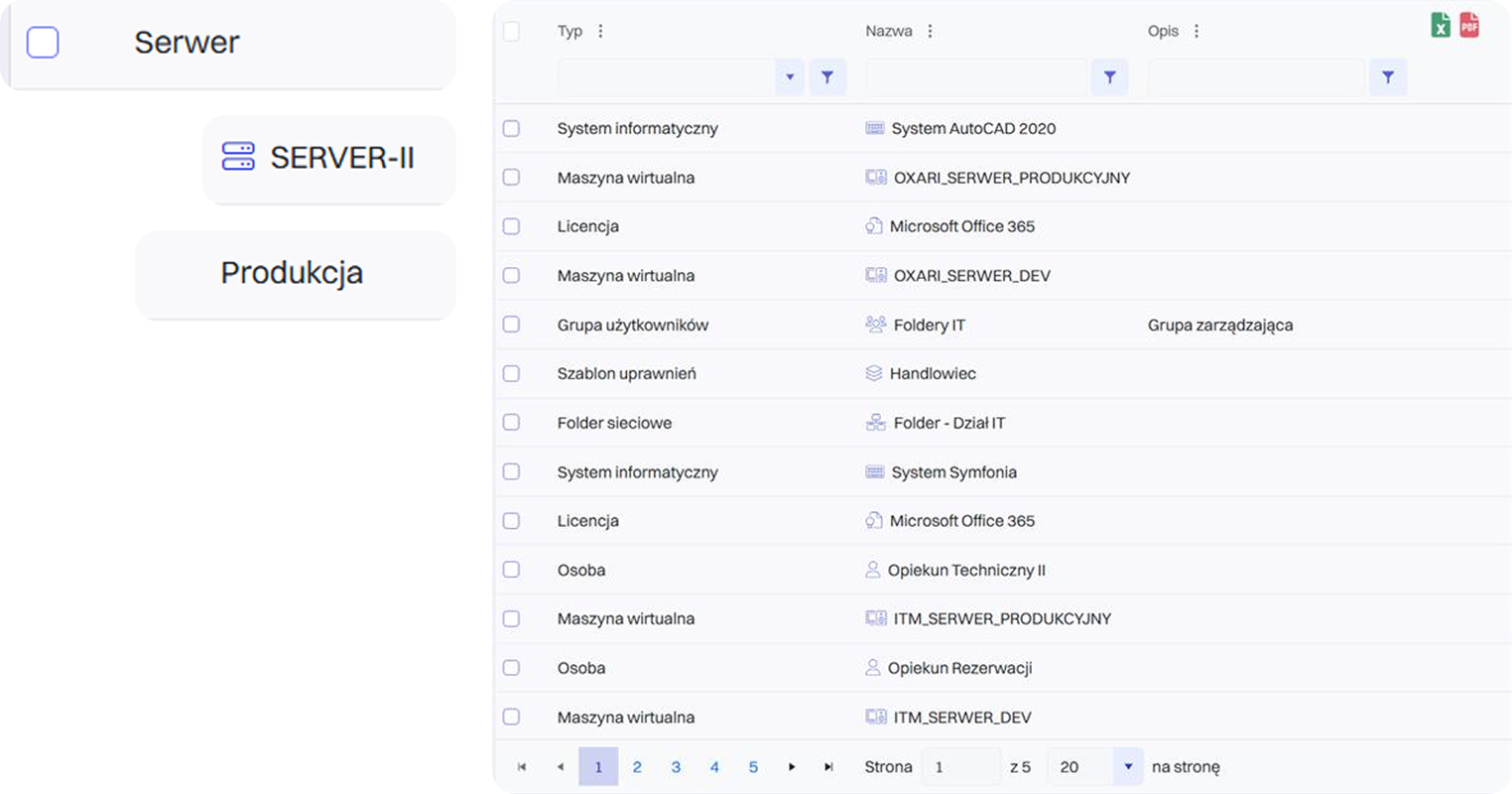
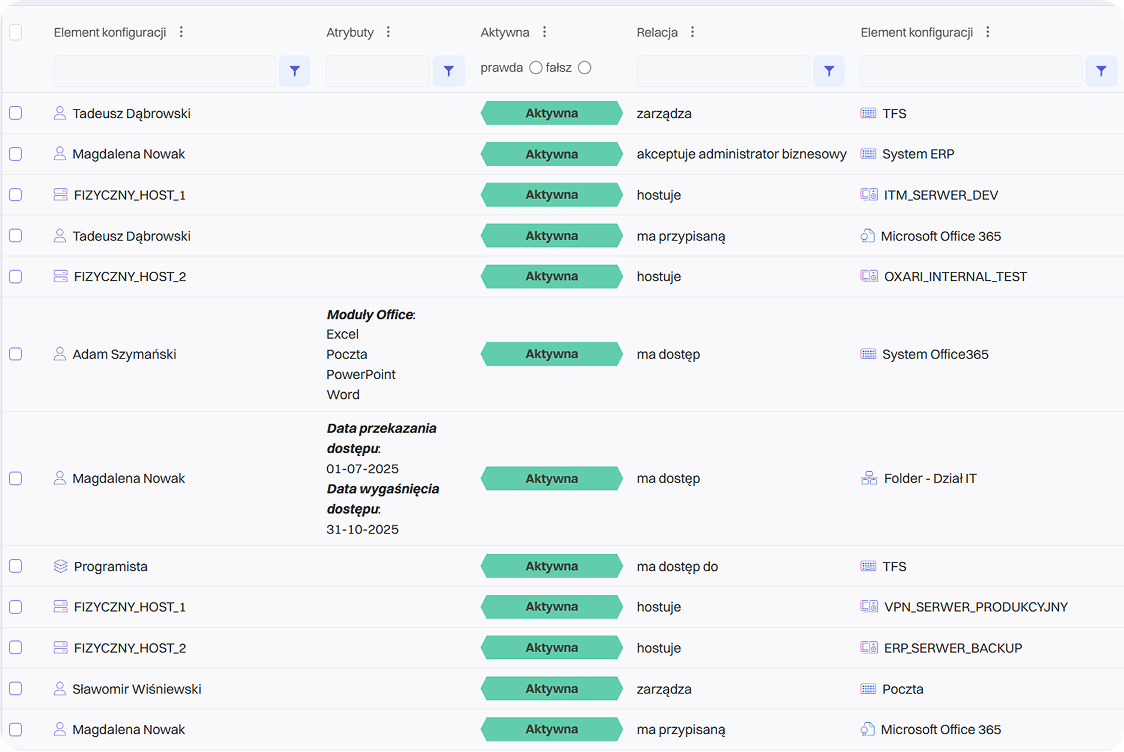
A CMDB is a collection of information about the components that make up an IT infrastructure. The primary object in the database is a configuration item (CI). Selected CIs in the CMDB are linked to each other through relationships (using the appropriate attributes), forming specific services supported by the organization’s IT department (e.g., Email, ERP System). The most common types of configuration items (asset management) include computer hardware, servers, switches, routers, and storage arrays. Configuration items also include all kinds of software – from operating systems and databases to specific applications. Components of a CMDB also include the organization’s employees and the roles and permissions closely associated with them.

A Configuration Management Database (CMDB) is a key element in ITSM processes, providing a central knowledge repository for all components of the IT infrastructure and their interdependencies. With a CMDB, an organization gains full visibility into its assets and the ability to track changes over time.

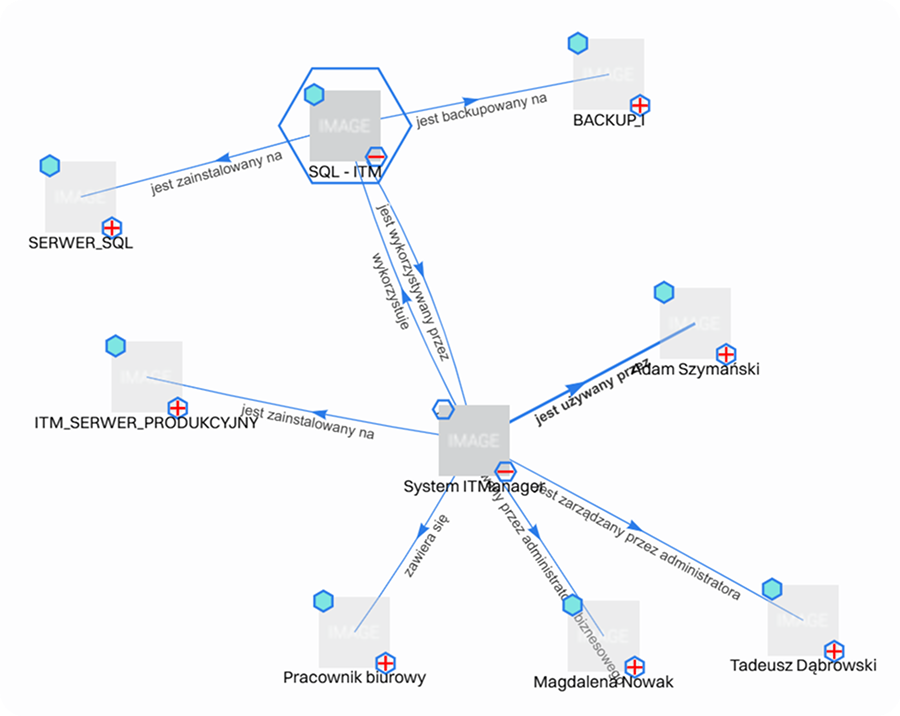
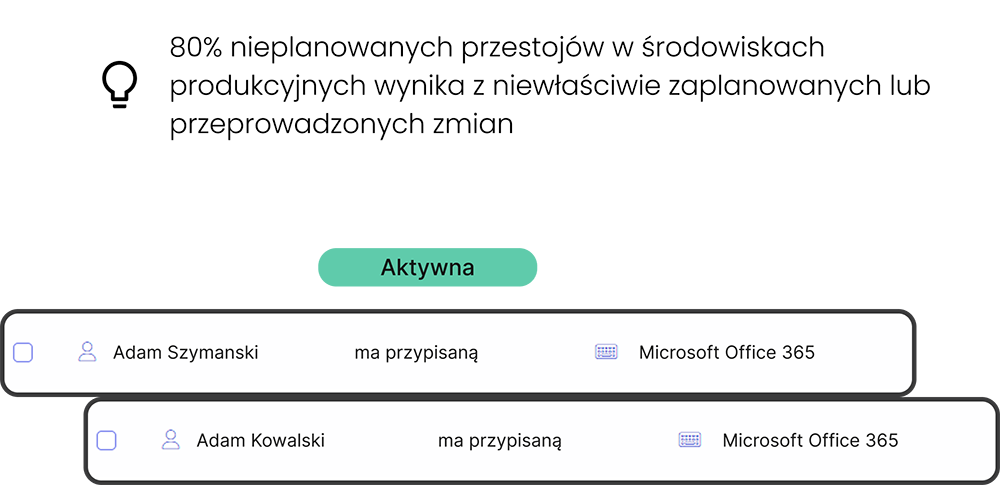
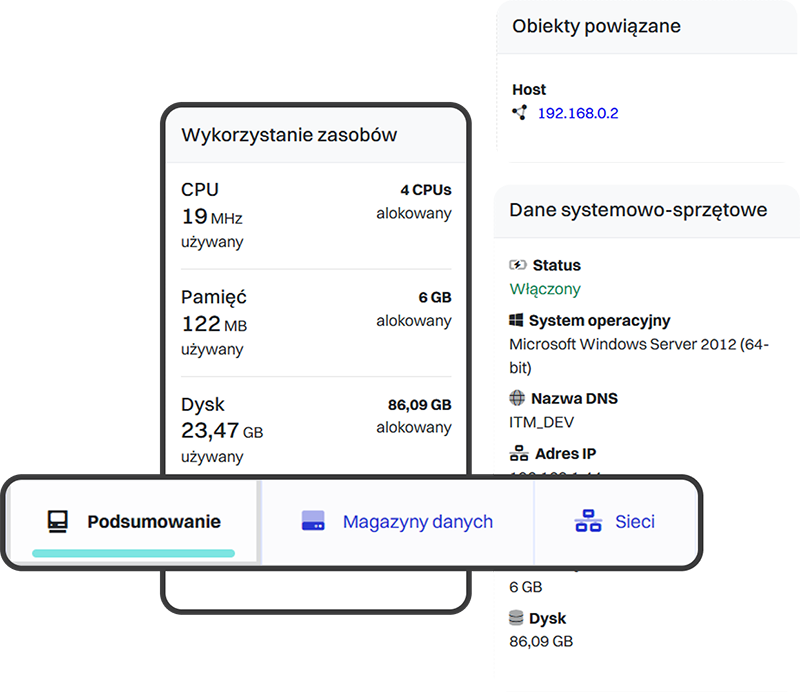
In practice, this means that every configuration item (CI) – a server, database, application, or network device—is described by a set of attributes such as owner, location, serial number, or related business services. The relationships between CIs make it possible to create dependency maps that help understand how the failure of one component may affect other parts of the infrastructure or critical business processes.

Thanks to a CMDB, the IT department can:

  • Quickly diagnose problems—knowing which systems are linked to an incident
  • Plan changes more effectively—assessing the risk and scope of modifications
  • Ensure regulatory compliance—maintaining a complete configuration history
  • Optimize costs—eliminating unused or duplicated assets

Combined with processes such as Change Management, Incident Management, and Asset Management, the CMDB becomes the foundation of proactive IT management and a cornerstone for ITIL- or DevOps-based initiatives.
What is a Configuration Management Database?

Features that make OXARI Configuration Management Database the best on the market

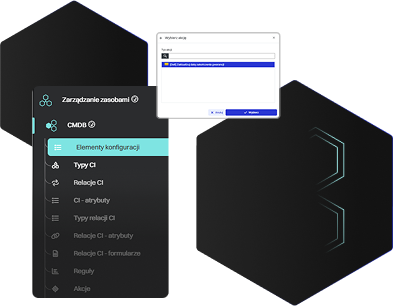
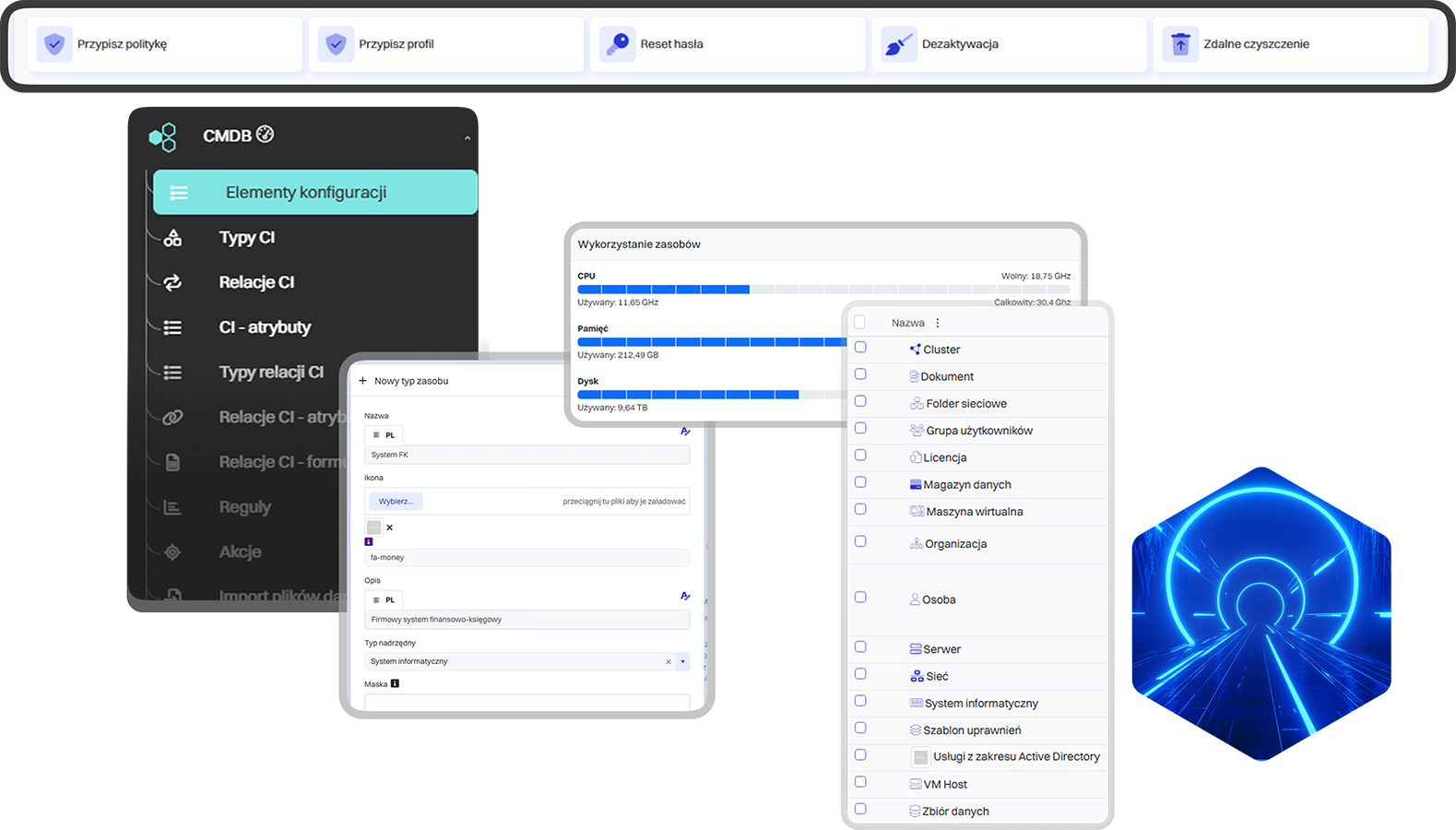
Create your own CI types
Define custom configuration item types tailored to the specifics of your organization.
Model relationships and service structures
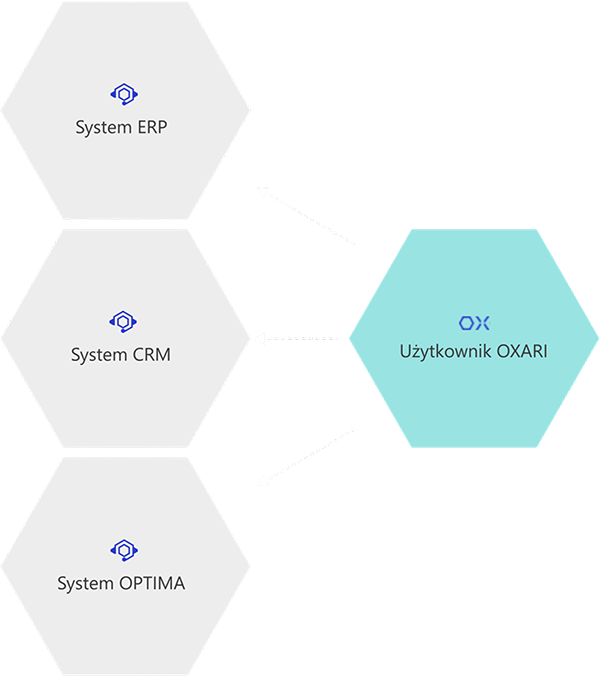
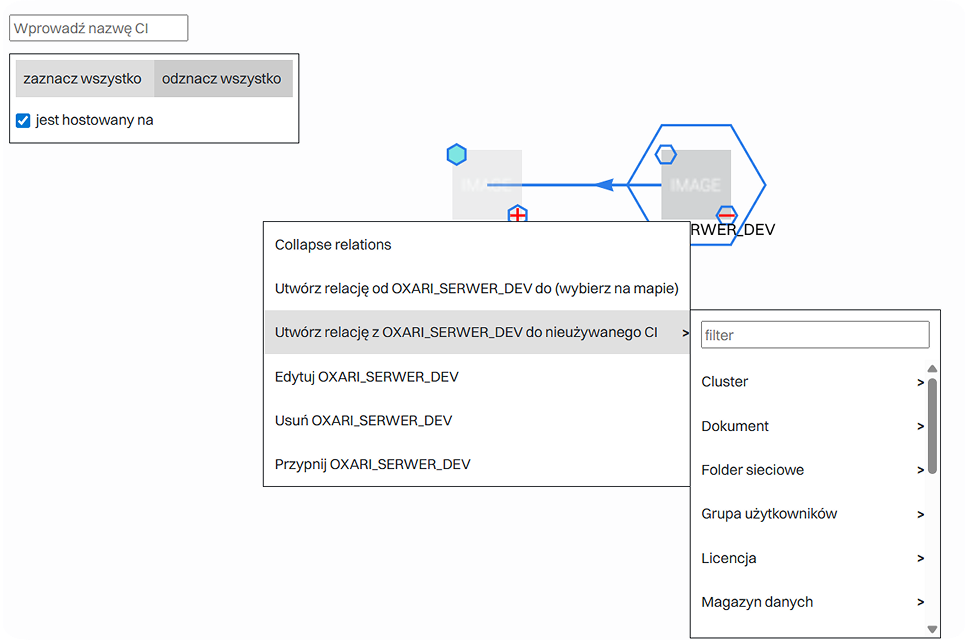
Build dependencies between CI elements to reflect the real structure of your IT services.

Attribute inheritance and subordinate types
Streamline configuration management by inheriting features and parameters from parent types.
Graphical and flat relationship view
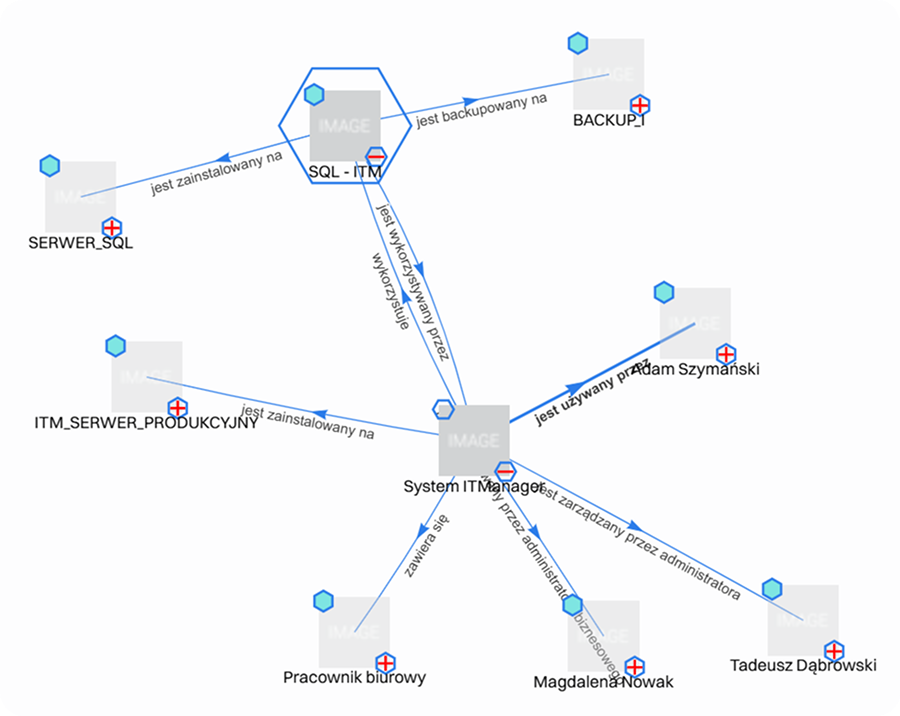
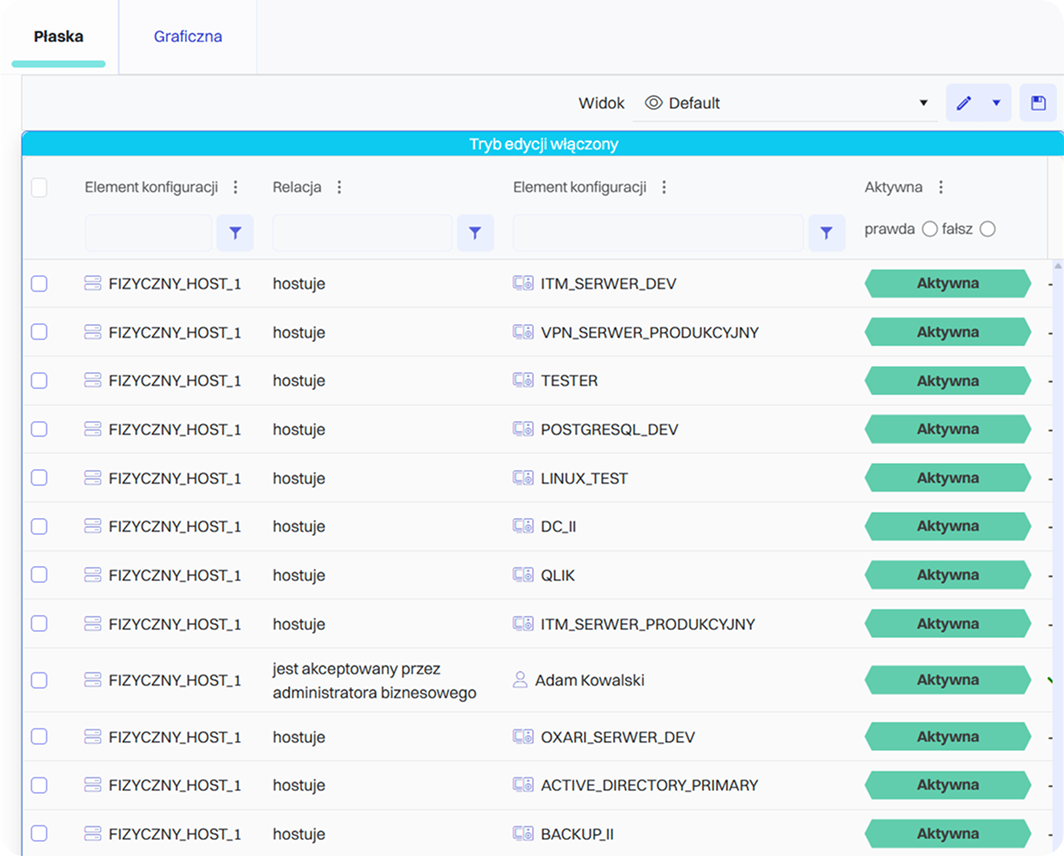
See how infrastructure components are connected—both as a list and through a clear relationship map.

Import from multiple sources
Automatically collect configuration data from various systems and tools.
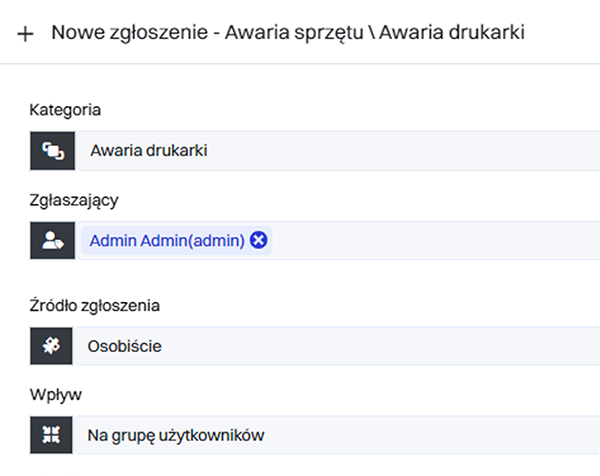
Integration with the Service Desk module
Connect CMDB information with ticket, change, and incident processes for full control over your IT environment.

The CMDB was created to give you full visibility and control over the relationships within your IT infrastructure.

Change request submitted
A user reports an issue with a non-working service. The IT team begins the diagnosis without the need to manually collect information about the device or the system.
1
Identifying the corresponding CI
The Service Desk agent checks which devices and systems are linked to the service. Thanks to the central configuration database, they don’t waste time contacting multiple departments.
2
Dependency mapping
Based on the relationships between components, the system identifies the element responsible for the failure and highlights other services that may be at risk.
3
Faster communication
The agent sees that the issue may be related to a specific server or the network. The dependencies between components help pinpoint the exact source of the problem.
4
Detailed incident documentation
Information about the incident and its impact is linked to the appropriate CI. This creates a history of changes and incidents for each infrastructure component.
5
What results will you achieve?
The relationships between services and assets enable faster diagnosis and resolution of issues. This shortens ticket handling times and reduces downtime in critical systems.
Change request submitted
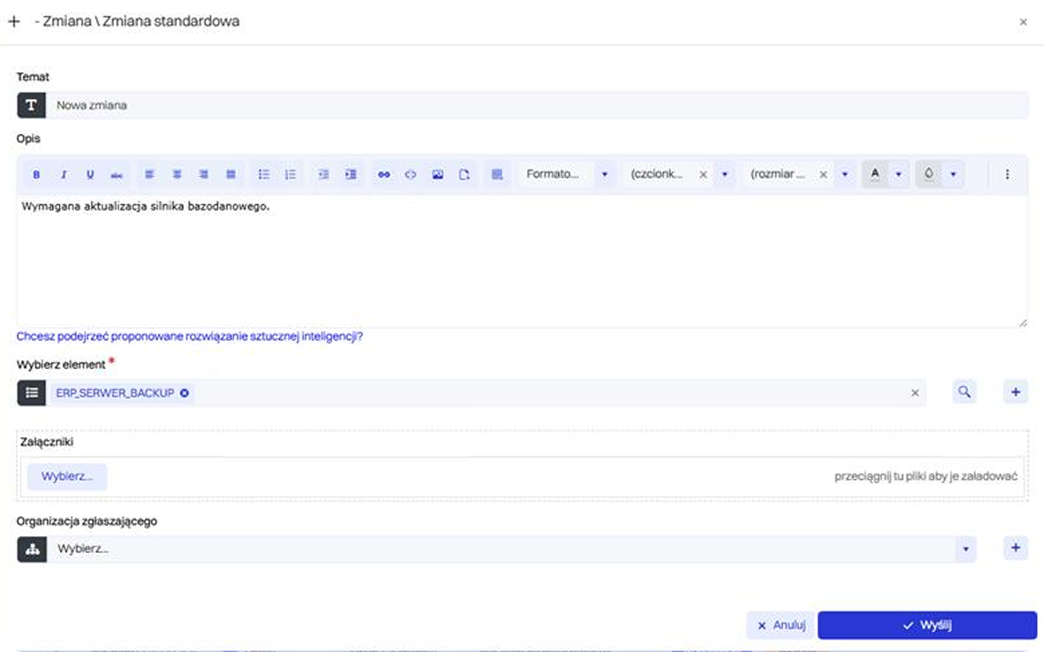
The IT team plans an update to a system critical to the company. Since the change may affect related systems or services, analysis is required.
1
Dependency analysis in the CMDB
Dependencies between the system and other services or devices are evaluated. This helps avoid downtime or errors caused by unintended side effects.
2
Risk assessment
Based on the relationships, the potential impact of the change is determined. The risk is documented and can be used in the approval process.
3
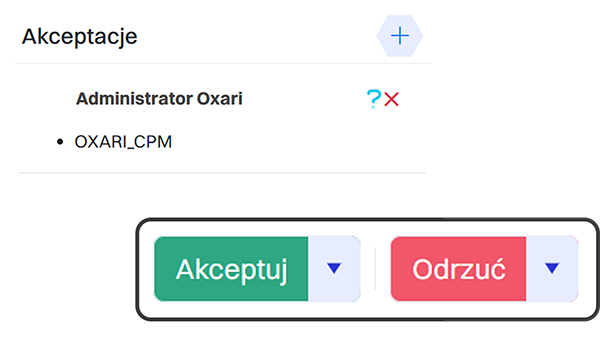
Planning and approval
The change is approved and scheduled according to the analysis. This increases operational safety and minimizes the impact on critical services.
4
Post-implementation monitoring
The change is recorded in the CMDB along with any new relationships. This makes it possible to track the effects of the change and react quickly if needed.
5
What results will you achieve?
Dependency analysis makes it possible to predict the impact of changes on the infrastructure. Your IT team can implement changes smoothly and with full control over risks.
Inventory of the on-premise environment
The CMDB contains data about servers, applications, and their relationships. This enables reliable migration planning and dependency identification.
1
Identifying service dependencies
The system reveals relationships between infrastructure components. This prevents situations where only part of a service is migrated to the cloud.
2
Priority and risk evaluation
Migration order is determined based on business impact. Decisions are made consciously, taking into account the criticality of resources.
3
Migration documentation
Each stage is documented in the CMDB. Changes in service structure and relationships are recorded as part of the configuration history.
4
Post-migration monitoring
New cloud resources are added to the CMDB. This keeps the infrastructure consistent and manageable after the transformation.
5
What results will you achieve?
The CMDB supports migration planning based on a complete view of the IT environment and its dependencies. This reduces risk and ensures service continuity during the transformation.

Discover the benefits of implementing OXARI CMDB in your organization

Gain a central point of reference for all IT assets
Manage IT assets and services effectively
Track and control changes in the infrastructure
Analyze the impact of incidents on service performance
Make faster, more informed operational decisions
Support key ITSM and Service Desk processes

Integration with OXARI CMDB

Our system seamlessly integrates with tools that boost productivity, support remote desktop operations, and enhance the security of data stored in the system.
Slide left
Slide right
OXARI Asset Management
Integrating OXARI ServiceDesk with OXARI AssetManagement allows direct linking of tickets to specific IT assets. Technicians gain instant access to hardware and software history, speeding up diagnostics and ticket resolution. This results in faster service and provides managers with full insight into the relationships between infrastructure and support processes.
OXARI CMDB
OXARI CMDB
Integrating the OXARI ITSM system with the CMDB database enables centralized management of all key elements of the IT infrastructure. Configuration data is automatically updated, making it easier to identify dependencies, diagnose issues, and plan configuration changes.
LDAP/OpenLDAP
LDAP/OpenLDAP
An integral part of the solution is synchronization with the corporate directory service to read user account information and organizational structure. Integration with Active Directory also enables automatic user login to the OXARI panel.
Integration with external systems via API
Integrating OXARI ITSM with external systems enables automatic data exchange with third-party tools. The open communication interface allows automation of routine tasks such as error reporting, asset management, and service request handling.
OXARI Asset Management
Integrating OXARI ServiceDesk with OXARI AssetManagement allows direct linking of tickets to specific IT assets. Technicians gain instant access to hardware and software history, speeding up diagnostics and ticket resolution. This results in faster service and provides managers with full insight into the relationships between infrastructure and support processes.
OXARI CMDB
OXARI CMDB
Integrating the OXARI ITSM system with the CMDB database enables centralized management of all key elements of the IT infrastructure. Configuration data is automatically updated, making it easier to identify dependencies, diagnose issues, and plan configuration changes.
LDAP/OpenLDAP
LDAP/OpenLDAP
An integral part of the solution is synchronization with the corporate directory service to read user account information and organizational structure. Integration with Active Directory also enables automatic user login to the OXARI panel.
Integration with external systems via API
Integrating OXARI ITSM with external systems enables automatic data exchange with third-party tools. The open communication interface allows automation of routine tasks such as error reporting, asset management, and service request handling.

OXARI is the certainty of effective operation

96,7%
Of customers recommend our system to others
20+
Years of experience
2046
Clients

CMDB case studies

See why companies chose OXARI and how our ITSM system helps them grow their business

Slide left
Slide right
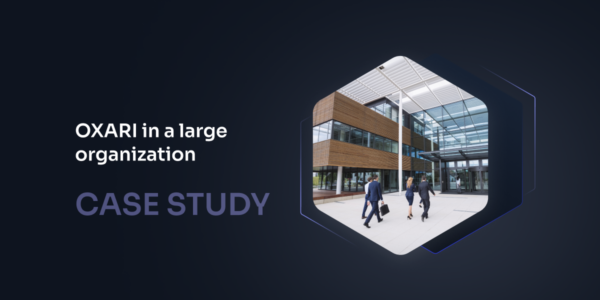
Automation of Ticket Handling in a Large Organization – Implementation of OXARI Service Desk
“The biggest change after implementing OXARI Service Desk was the shift from emails and phone calls to a single, consistent ticket workflow—with automatic classification, prioritization, and SLA control. This was complemented by approval paths for access rights, purchases, and onboarding, as well as linking tickets to IT assets. The result? Less manual coordination, greater predictability, and faster service delivery across a multi-location environment.”
more Arror right
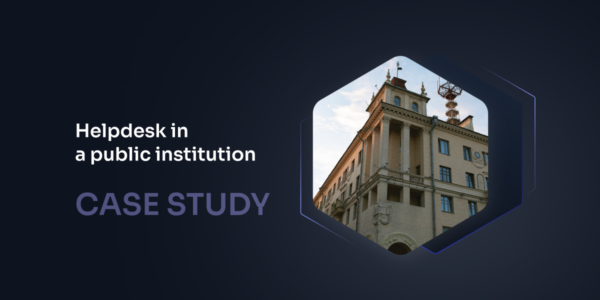
How OXARI improved the work of the helpdesk department in a public institution?
“In public institutions, the helpdesk for years has relied on emails, phone calls and local notes, which, with a growing number of users, quickly leads to chaos: lost tickets, lack of priorities and problems with reporting. This drives IT teams to implement a single tool that organizes incident handling, automates workflows and supports formal approval paths (e.g. granting permissions, purchases, onboarding/offboarding) with a full audit trail of activities. The result is the implementation of the OXARI system, which provides transparency of processes and genuinely improves the daily work of the helpdesk department.”
Head of IT Department
Public Institution
more Arror right
Implementation of the OXARI and ITManager systems at the Bielsko-Biała City Hall
"Upgrading the existing asset-management system to the latest version was not economically justified. This situation prompted us to analyze the market and look for an alternative solution in this area. An additional criterion was the ability to migrate the asset data already collected, for which the City Hall’s IT Department is responsible. The outcome of our assessment was the implementation of the OXARI system."
247
administrators
1982
managed assets
Dariusz Łużny
Head of the IT Department, Bielsko-Biała City Hall
more Arror right
How Delta Controls Streamlined Local Service Ticket Management with the OXARI Platform
“Before implementing OXARI, handling requests was done mainly via e-mail and other scattered channels, which made it difficult to track case statuses, caused duplicate requests, and resulted in the lack of a centralized customer service history. Knowledge was dispersed — there was no single place to store repeatable solutions and scenarios.

It’s hard to estimate precisely, but the time savings in handling requests are realistically 20–30% compared to handling them via e-mail.”
30%
faster ticket processing
70
countries supported worldwide
Paweł Płatek
PDS – Professional Development Services
more Arror right
A medical company streamlined its priorities and gained rapid insight into IT tickets thanks to OXARI
“The greatest improvement is the full automation of ticket handling—each one goes to the right person, and priorities are set automatically. This allows IT staff to focus on solving problems rather than managing the process.”
600
branches
98%
of achieved SLA
IT Service Desk Manager
A medical industry company
more Arror right
OXARI guarantees reliable operation
Chevron left
Chevron right
Service Desk
Service Desk
Comprehensive handling of both internal and external service requests enabling automation of processes, incident classification, priority management, and SLA monitoring. It supports communication between users and the IT team, ensuring full transparency and control over request fulfillment.
moreArro2 right
Asset Management
Asset Management
A systematic record of all types of assets along with analysis of their current location. Monitoring of active devices, review of related history, optimization of available resources, and management of the asset issuance and return process.
moreArro2 right
Mobile Device Management
MDM
Management of mobile devices and computers within an organization. Enables remote configuration, locking, and wiping of devices, application control, and implementation of security policies. Supports compliance with ISO 27001 standards and protection of company data.
moreArro2 right

Interested?

Let’s talk and see what we can create together.
Get in touch with us

CMDB – support for ITSM processes

A CMDB is a database that effectively supports process management in the IT industry. Creating a central point of reference for all assets significantly improves ITSM practices such as:

  • Incident management – the CMDB helps identify changes that led to incidents and supports their quick resolution
  • Problem management – the CMDB helps analyze root causes of issues, allowing teams to pinpoint the primary source of errors
  • Change management – the CMDB improves risk assessment by helping predict which resources may be affected by incidents

Why should IT infrastructure data be stored in a CMDB?

Centralization using a CMDB makes asset and permission management easier and more organized. The CMDB helps eliminate one of the major issues within organizations: data silos and irregular updates. When data is scattered across different systems, understanding the full scope of processes becomes difficult. Lack of a comprehensive view also creates challenges for teams—incorrect interpretation of information negatively impacts risk assessment, reporting, and slows down decision-making, which can lead to rising costs.

A central database that gathers all current information helps avoid these issues. Essential data is available in a clear, consistent format for all team members, making decision-making and problem-solving more intuitive and independent.

The comprehensive OXARI CMDB database!

Are you looking for an effective way to centralize data in your organization? Choose a proven solution designed to streamline IT process management. Implement the comprehensive OXARI CMDB database and discover how many benefits it can bring to your business! Contact us to learn more about our offer.