Service desk

Take full control of incidents in your it department
Maximize your teams’ efficiency with OXARI ServiceDesk for ticket registration, status management, and detailed analytics.
Try the OXARI service desk

Join over 2,000 organizations that trust us

What is a SERVICE DESK?

Service desk support is a central point of contact for users, responsible for technical assistance, problem resolution, and handling service requests. Its key role is to provide comprehensive IT support for an organization’s employees and customers. It registers issues, processes service requests, resolves incidents, and handles user inquiries. A team of specialists diagnoses and resolves tasks related to IT infrastructure, applications, networks, and other technologies.

Dedicated support lines handle both internal employee requests and external customer inquiries, tailoring their actions to the needs of the organization. The IT service desk collects requests, logs them, assigns them to specialists, and monitors their progress to ensure quick and effective resolutions—maximizing the availability and performance of IT services.

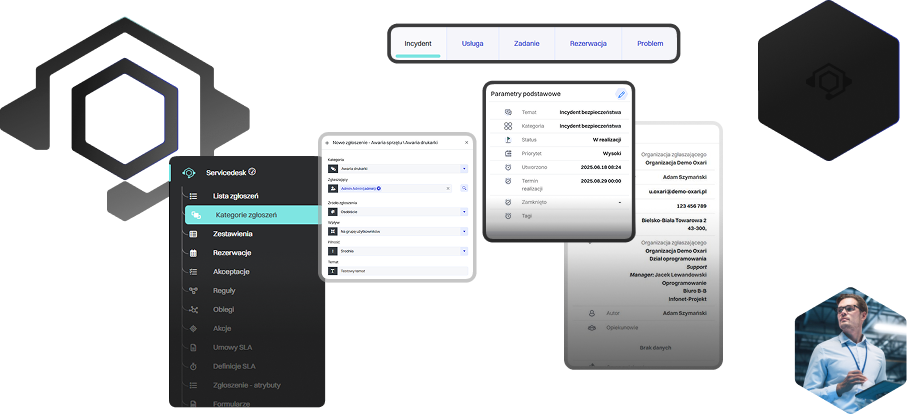
A service desk system offers a wide range of features that optimize processes. Automatic ticket registration speeds up response and handling times. Ticket categorization and prioritization ensure a structured and organized incident-management framework. The helpdesk system is simple and intuitive, enabling any organization to fully integrate and utilize it within its structure.

What is a SERVICE DESK?

Features that make OXARI Service Desk the best on the market

Flow Automation
Automation of IT and business service processes. It enables defining rules, scenarios, and workflows that eliminate repetitive tasks and speed up ticket resolution.
Knowledge Base
A central repository of knowledge, articles, and procedures available to employees and end users. It helps quickly find solutions to common problems and increases service efficiency. Feature certified with PinkVERIFY®.
Self Portal
Allows users to independently perform simple operations such as installing applications, running scripts, or completing repetitive tasks without involving the IT department.
Incident Management
Systematic handling of the ticket registration process, ensuring prioritization, quick response, and high-quality support. Feature certified with PinkVERIFY®.
Service Request
Management of standard user requests - such as access to systems, software installation, or ordering equipment. The process ensures transparency, shorter delivery times, and higher user satisfaction.
Change Management
A controlled process for introducing changes to IT infrastructure and services. It minimizes the risk of failures, supports planning and approval of changes, and ensures organizational continuity.

A Service Desk designed with innovation and user convenience in mind

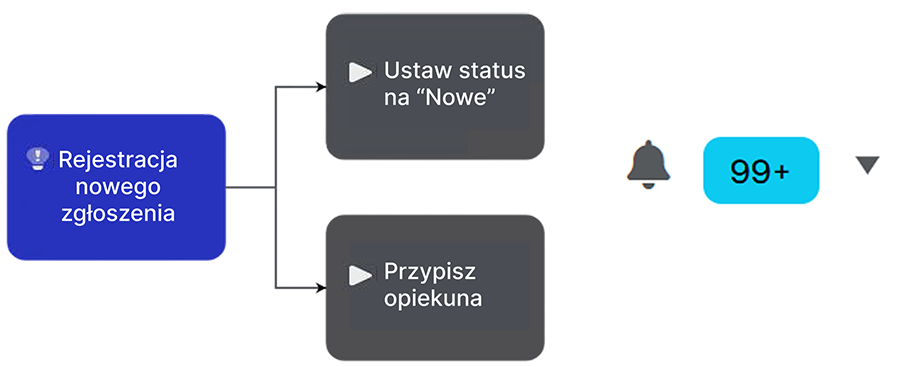
System failure reported
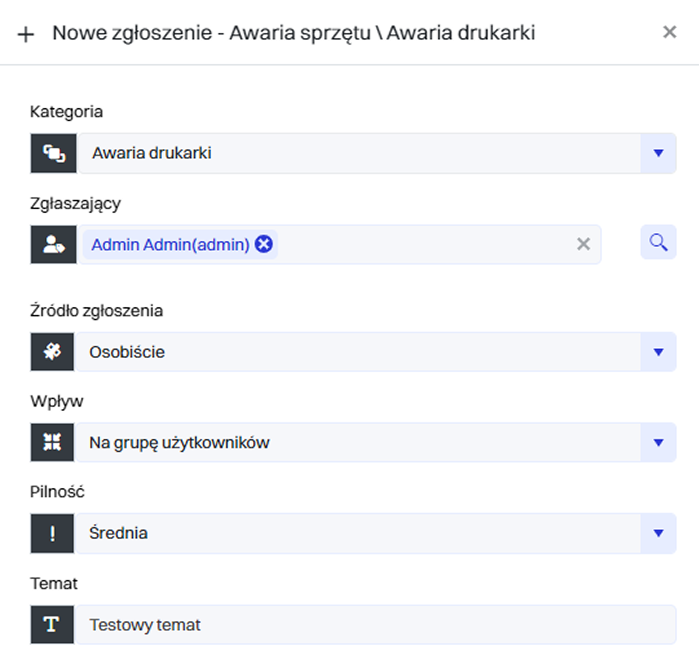
One of your key systems stops working. A user reports the issue through a simple form. The ticket is automatically logged in the system and assigned a priority based on predefined rules.
1
70%
this is how much system-based ticket registration shortens handling time
System failure reported
Ticket analysis and assignment
The system analyzes the ticket content, assigns a category, and routes it to the appropriate service team, eliminating the need for manual verification.
2
Sending notifications to technicians
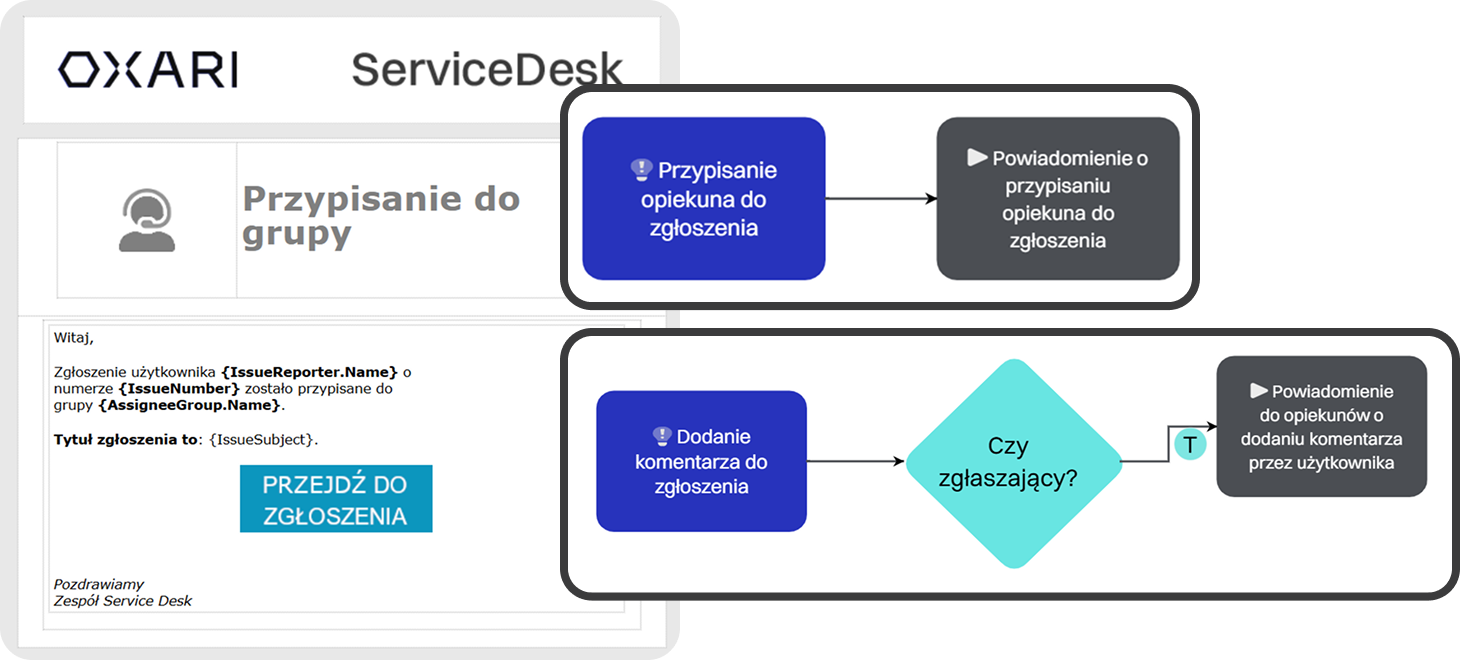
The appropriate technicians receive an automatic notification (e.g., SMS, email, or push), allowing them to respond quickly.
3
Ticket resolution and status updates
The technician handles the ticket, and the system continuously updates its status. The user can check the progress at any time.
4
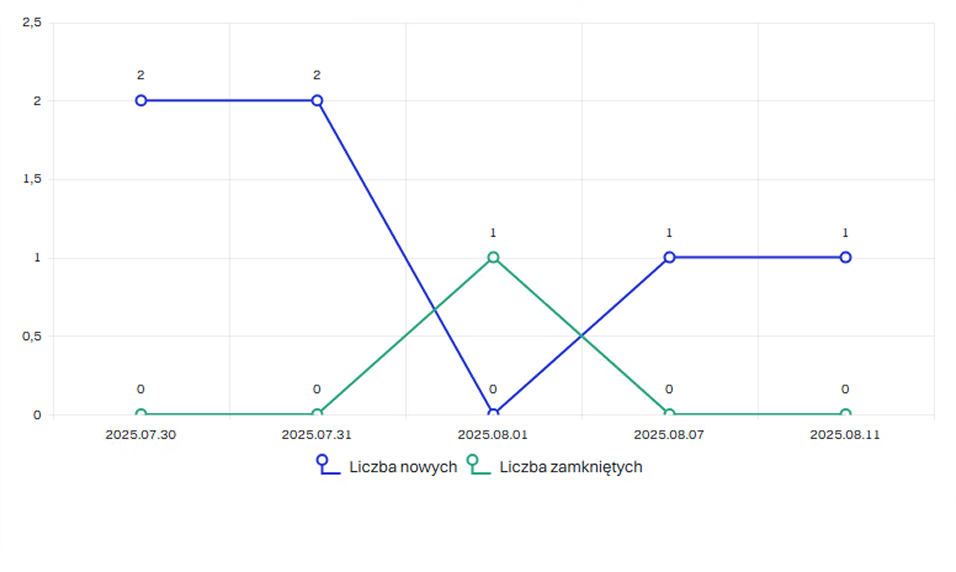
Detailed performance analytics of technicians
The system collects data on response and resolution times, creating reports and statistics. Managers gain full insight into service performance.
5
What results will you achieve?
The system organizes and prioritizes tickets, enabling faster problem resolution. The IT team gains complete visibility into progress and action history for every incident.
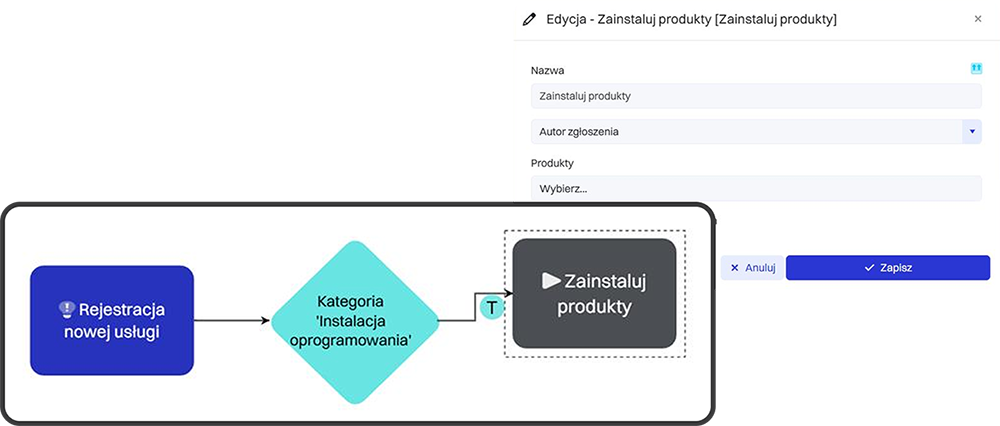
The ticket enters the system with a problem category
Each new ticket is assigned to the appropriate category. This is essential for linking it to the correct SLA level.
1
The system automatically assigns a priority and deadline according to the SLA
Based on SLA rules, the system determines how much time is available to resolve the issue. This helps the team understand which tasks are the most urgent.
2
The responsible team receives reminders and real-time status updates
Notifications and live status tracking allow the team to monitor progress without wasting time searching for information.
3
The system generates alerts and reports
If the deadline is exceeded, the system sends an automatic alert. This allows for quick reaction and proper documentation of the incident.
4
SLA performance is analyzed and reported in the context of service quality
The system creates summaries of SLA fulfillment levels, which can be used for settlements and service improvement.
5
What results will you achieve?
Automatic monitoring of response and resolution times enables continuous verification of SLA compliance. The system sends alerts about upcoming breaches, minimizing the risk of failing to meet contractual requirements.
A user submits a standard request
Frequent, repetitive requests can be automatically recognized. This is the first step toward full process automation.
1
The system identifies the request type and triggers an automated workflow
Instead of handling the request manually, the system initiates the appropriate steps on its own. The process begins without agent involvement.
2
Tasks are assigned without agent participation
Responsible individuals or systems receive their tasks automatically. This shortens response time and reduces the risk of errors.
3
After approval, the system performs the action automatically
The system completes the task—for example, granting permissions or installing an application. Everything happens without delays.
4
The request is automatically closed with a full activity report
Once the process is completed, the system documents all actions taken. Both the user and IT have full visibility into the history.
5
What results will you achieve?
Repetitive tasks, such as assigning tickets or sending notifications, are handled automatically. This allows the team to focus on more complex issues, and the handling time is significantly reduced.

OXARI is a reliable investment in your company’s growth

You will increase service availability and reliability
You will monitor and proactively manage issues
You will ensure standardized interactions and solutions
You will save time and resources on asset inventory
You will accelerate incident response
You will boost user satisfaction

integrations with OXARI ServiceDesk

Our system integrates seamlessly with tools that boost productivity, support remote desktop operations, and enhance the security of data stored in the system.
Slide left
Slide right
OXARI Asset Management
Integrating OXARI ServiceDesk with OXARI AssetManagement allows direct linking of tickets to specific IT assets. Technicians gain instant access to hardware and software history, speeding up diagnostics and ticket resolution. This results in faster service and provides managers with full insight into the relationships between infrastructure and support processes.
OXARI CMDB
OXARI CMDB
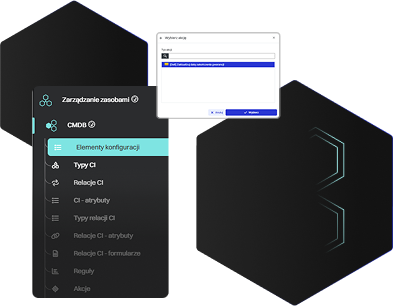
Integrating the OXARI ITSM system with the CMDB database enables centralized management of all key elements of the IT infrastructure. Configuration data is automatically updated, making it easier to identify dependencies, diagnose issues, and plan configuration changes.
LDAP/OpenLDAP
LDAP/OpenLDAP
An integral part of the solution is synchronization with the corporate directory service to read user account information and organizational structure. Integration with Active Directory also enables automatic user login to the OXARI panel.
Integration with external systems via API
Integrating OXARI ITSM with external systems enables automatic data exchange with third-party tools. The open communication interface allows automation of routine tasks such as error reporting, asset management, and service request handling.
OXARI Asset Management
Integrating OXARI ServiceDesk with OXARI AssetManagement allows direct linking of tickets to specific IT assets. Technicians gain instant access to hardware and software history, speeding up diagnostics and ticket resolution. This results in faster service and provides managers with full insight into the relationships between infrastructure and support processes.
OXARI CMDB
OXARI CMDB
Integrating the OXARI ITSM system with the CMDB database enables centralized management of all key elements of the IT infrastructure. Configuration data is automatically updated, making it easier to identify dependencies, diagnose issues, and plan configuration changes.
LDAP/OpenLDAP
LDAP/OpenLDAP
An integral part of the solution is synchronization with the corporate directory service to read user account information and organizational structure. Integration with Active Directory also enables automatic user login to the OXARI panel.
Integration with external systems via API
Integrating OXARI ITSM with external systems enables automatic data exchange with third-party tools. The open communication interface allows automation of routine tasks such as error reporting, asset management, and service request handling.

OXARI is the certainty of effective operation

96,7%
Of customers recommend our system to others
20+
Years of experience
2046
Clients

Service Desk case studies

See why companies chose OXARI and how our ITSM system helps them grow their business

Slide left
Slide right
How Delta Controls Streamlined Local Service Ticket Management with the OXARI Platform
“Before implementing OXARI, handling requests was done mainly via e-mail and other scattered channels, which made it difficult to track case statuses, caused duplicate requests, and resulted in the lack of a centralized customer service history. Knowledge was dispersed — there was no single place to store repeatable solutions and scenarios.

It’s hard to estimate precisely, but the time savings in handling requests are realistically 20–30% compared to handling them via e-mail.”
30%
faster ticket processing
70
countries supported worldwide
Paweł Płatek
PDS – Professional Development Services
more Arror right
A medical company streamlined its priorities and gained rapid insight into IT tickets thanks to OXARI
“The greatest improvement is the full automation of ticket handling—each one goes to the right person, and priorities are set automatically. This allows IT staff to focus on solving problems rather than managing the process.”
600
branches
98%
of achieved SLA
IT Service Desk Manager
A medical industry company
more Arror right
How AMIC POLSKA Sp. z o.o. improved ticket management across 128 fuel stations with the OXARI platform
Systematic management of service tickets enables full control over the progress of their resolution and makes it easier to identify critical service points. In the case of such a large number of our stations, effective ticket management requires an advanced ServiceDesk system such as OXARI.
128
fuel stations across Poland
1500
employees
Mariusz Banasiak
Senior IT Manager w AMIC Energy
more Arror right
Implementation of a modern ITSM system at the University of Wrocław
The University of Wrocław has opted for a comprehensive ITSM system. The goal was to centralize services, digitize processes, and regain control over the university’s assets. Thanks to the implementation of OXARI, the university has improved ticket handling and asset inventory and has taken a significant step toward digital transformation.
5000
assets
2500
configuration item (CI)
more Arror right
P.A. NOVA streamlined its IT processes with OXARI
"Implementing OXARI and ITManager has significantly improved our daily work—from user requests to IT asset management. Thanks to intuitive tools and extensive functionalities, we have gained better control, automation, and full transparency of our IT environment. We wholeheartedly recommend Infonet Projekt as a reliable partner for ITSM solutions."
6
OXARI modules
240
workstation licenses
Mariusz Horyń
Kierownik IT, P.A. NOVA S.A
more Arror right
OXARI guarantees reliable operation
Chevron left
Chevron right
Asset Management
Asset Management
A systematic record of all types of assets along with analysis of their current location. Monitoring of active devices, review of related history, optimization of available resources, and management of the asset issuance and return process.
moreArro2 right
CMDB
CMDB
A central knowledge base about the IT infrastructure and the dependencies between configuration items. It enables visualization of relationships between services, servers, applications, and users. It helps in change impact analysis, risk minimization, and maintaining compliance with ITIL processes.
moreArro2 right
Mobile Device Management
MDM
Management of mobile devices and computers within an organization. Enables remote configuration, locking, and wiping of devices, application control, and implementation of security policies. Supports compliance with ISO 27001 standards and protection of company data.
moreArro2 right

Interested?

Let’s talk and see what we can create together.
Get in touch with us

What problems can a Service Desk solve?

A service desk is a functional tool for efficiently handling service requests. It is essential for automating and optimizing IT processes related to resolving technical issues. A helpdesk program enables users to manage incidents according to ITIL best practices.

Beyond reacting quickly to incidents, the system also serves as a rich source of knowledge, helping identify bottlenecks in the IT structure and enabling preventive actions. In addition to IT infrastructure-related tickets, the software can also register events such as building maintenance issues, allowing organizations to manage all types of incidents in one platform.

Helpdesk – what is it and how does it work?

An IT helpdesk is a central point providing technical support and handling user requests. Specialists register, diagnose, and resolve technical issues, while also answering user questions. The goal is fast problem resolution, minimizing downtime, and improving customer satisfaction.

Helpdesks typically operate in two models:

  • External: handling tickets from customers
  • Internal: supporting employees within the organization

Helpdesks manage a wide range of issues—from hardware failures to software errors. They may involve phone and email ticketing as well as on-site desk support.

What is a service request?

A service request is any user submission to the IT service desk asking for a specific action or service. Examples include:

  • creating a new user account
  • granting access rights to an application
  • configuring a device
  • fixing an error
  • performing a system update

Service requests are handled by the IT service desk according to established procedures. Professional service desk software – such as OXARI – significantly simplifies receiving and processing these requests.

How does Service Desk software work?

IT service desk software is a specialized tool designed for technical support departments. It manages incidents, problems, changes, configuration, and other operational processes. It integrates modules that streamline workflows and automate many tasks, leading to more efficient user support and better IT infrastructure management.

A service desk system supports the entire lifecycle of a ticket – from creation to closure – and accelerates the process through automation.

Service desk software enables:

  • registering tickets
  • tracking their progress
  • allocating resources
  • managing priorities
  • monitoring response times

It also generates reports and analyticsallowing organizations to identify the most failure-prone areas and evaluate service performance. 

Why choose OXARI Service Desk for IT service management?

OXARI Service Desk is a reliable solution that streamlines IT service operations. It ensures rapid resolution of technical issues and guarantees response times in line with SLA commitments.

A well-selected service desk system is invaluable for IT professionals. Managing incidents becomes simple: once a user reports a problem, it is logged and forwarded to the appropriate expert. Specialists can resolve issues remotely—from anywhere in the world—allowing companies to build strong teams based on skills rather than location.

Implementing a proven service desk platform ensures customers receive proper support while giving organizations full oversight of SLA compliance.

The role of Service Desk in IT infrastructure management

Service desks are crucial for IT operations. They enable efficient ticket registration, progress tracking, and response-time monitoring. Organizations can react effectively to failures, minimize downtime, maintain high system availability, and manage the full lifecycle of IT services.

To maximize service desk efficiency, organizations benefit from professional tools such as OXARI ServiceDesk.

Key features include:

  • ticket categorization (category tree)
  • form builder
  • dictionary management
  • automatic ticket registration via email

Advanced systems unleash the full potential of the service desk, elevating customer experience and support quality.

Choose the comprehensive OXARI ServiceDesk system

IT Service Management enables organizations to handle service requests professionally and efficiently. OXARI Service Desk is a powerful helpdesk platform designed for managing IT services and resolving issues quickly with the help of expert tools.

A service desk improves overall team performance. It enables employees to manage IT tasks more effectively while maintaining the highest standards of customer care—used by leading global organizations.

If you want to implement a personalized ticketing system in your company, choose OXARI and discover how simple service request handling can be. Have questions? Contact us – we’ll be happy to help!